

TL;DR — How to Start a Blog and Make Money in 2026
In short, starting a profitable blog in 2026 takes four things: a focused niche, a self-hosted WordPress site (domain + hosting, roughly $40–$80 for your first year), 10–15 genuinely helpful posts targeting low-competition keywords, and one monetization method you commit to for at least six months. Most new blogs earn nothing for the first 3–6 months, then grow through display ads, affiliate marketing, digital products, sponsored posts, or freelance services. This guide walks you through every step — niche selection, setup, writing, traffic, and all six income streams with real cost math — so you can launch this weekend and avoid the mistakes that kill most new blogs.
For example, every year, thousands of people decide to start a blog — and every year, most of them quit before the blog ever earns a single dollar. Not because blogging is dead (it isn’t), but because they start with the wrong expectations: they pick a random topic, pay for expensive tools they don’t need, write five posts, see no traffic, and give up.
Therefore, this guide exists to fix that. You’ll learn how to start a blog and make money in 2026 the realistic way: what it actually costs, how long it actually takes, which monetization methods work for beginners, and the exact sequence of steps to launch. No hype, no “I made $50,000 in my first month” stories. Just a beginner-friendly roadmap built on what actually works right now — including how Google, Pinterest, and AI search have changed the game for new bloggers.
Is Blogging Still Worth It in 2026?
Yes — but not the way it worked in 2016. For example, the era of throwing up a thin 500-word post and ranking on Google is over. Therefore, what works now is narrower and better: a focused blog that answers real questions in depth, builds trust with readers, and earns through several small income streams instead of one big one.
In fact, here’s the honest picture. Three things changed the landscape:
- AI search results answer simple questions directly. If your post just defines a term or lists generic tips, an AI overview can replace it. The posts that still rank are the ones with real experience behind them — step-by-step tutorials, honest comparisons, personal results, and opinions.
- Display ad income now requires meaningful traffic. Premium ad networks want tens of thousands of monthly visitors. Beginners usually start with Google AdSense or affiliate income while they grow.
- Trust is the real currency. Readers (and Google) reward blogs with a clear author, real photos, an about page, and content that shows firsthand experience. Anonymous, generic content loses.
In addition, the upside is real: a blog is one of the few online assets you fully own. Social media accounts can be banned or throttled; a blog on your own domain keeps working for you year after year. Many bloggers earn a full-time income from sites they started with under $100. The key is starting with realistic expectations and a plan you’ll actually stick to.
How to Start a Blog and Make Money in 2026: The Complete Roadmap
First, here is the entire process at a glance. The rest of this guide expands each step:
- First, pick a niche you can write 100 posts about — one with real demand and real spending.
- Second, choose a blog name and buy a domain (usually $10–$15 for the first year).
- Next, get web hosting and install WordPress (your biggest first-year cost, roughly $30–$70).
- Do the 30-minute WordPress setup — settings, essential plugins, and security basics.
- Design for speed and trust — a fast theme plus About, Contact, and Privacy pages.
- Plan your first 10 posts around keywords a new blog can actually rank for.
- Write posts that answer questions completely — depth beats volume.
- Get your first 1,000 visitors from Google, Pinterest, and communities.
- Add one monetization method and commit to it for six months.
- Publish consistently for a year — consistency is the strategy.
In summary, total realistic first-year cost: $40–$100, most of it hosting. Total time to launch: one weekend. Total time to meaningful income: 6–12 months of consistent publishing.
Step 1: Pick a Niche You Can Write 100 Posts About
First, your niche is the topic your blog covers. However, beginners usually fail in one of two ways: they pick something so broad (“lifestyle”) that they compete with everyone, or something so narrow (“left-handed guitar picks”) that they run out of things to write after six posts.
A good niche passes three tests:
The 3-test niche check
- The demand test: Are people actually searching for this? Type your topic into Google and look for “People also ask” boxes and long-tail questions. If real questions exist, demand exists.
- The money test: Do people in this niche spend money? Niches where readers buy things (hosting, tools, courses, gear) monetize far better than pure-entertainment niches.
- The 100-post test: Can you list 100 article ideas without repeating yourself? If you stall at 20, the niche is too small — or you don’t know it well enough yet.
Beginner-friendly niche examples
| Niche | Demand | Money potential | Why it works for beginners |
|---|---|---|---|
| Personal finance for beginners | Very high | High (affiliates, courses) | Endless questions, real experience valued |
| Web hosting & blogging tools | High | Very high (hosting affiliates) | Buyers research before purchasing |
| Home cooking on a budget | Very high | Medium (ads, affiliates) | Easy to show real experience with photos |
| Freelancing & side hustles | High | High (affiliates, services) | Your own journey is the content |
| Pet care (one animal) | High | Medium-high (affiliates, ads) | Passionate audience, visual content |
Beginner mistake to avoid: don’t pick a niche just because someone said it’s profitable. If you can’t stand writing about it for a year, you’ll quit — and a “boring profitable” niche you abandon earns exactly $0.
Step 2: Choose a Blog Name and Buy a Domain
Your domain is your blog’s address (like avaradar.com). A good blog name is short, easy to spell, and doesn’t box you into one sub-topic. Avoid hyphens, numbers, and clever spellings — if you have to spell it out loud for someone, it’s wrong.
Practical naming tips:
- Keep it under 15 characters if possible.
- Use a .com if you can — it’s still what people trust and remember most.
- Don’t include the year (“bestblog2026.com”) — it dates your brand instantly.
- Check that the name isn’t already a trademark and that matching social handles are free.
Buy your domain from an established registrar. A .com typically costs $10–$15 for the first year, but watch the renewal price — some registrars discount year one and charge much more at renewal. For reference, a .com at Namecheap renews at around $18.48/year after recent price increases (we break down the full renewal picture in our Namecheap renewal prices guide). Always check what year two costs before you buy — the cheapest first-year deal isn’t always the cheapest two-year deal.
Step 3: Get Web Hosting (Your Most Important Purchase)
Hosting is where your blog’s files live, and it’s the one purchase that genuinely affects your results. For example, slow hosting hurts your Google rankings and drives readers away. In addition, the good news is that beginner-friendly shared hosting is cheap.
What to look for in beginner hosting
- One-click WordPress install — non-negotiable for beginners.
- Free SSL certificate — your site must show the padlock (https://); every reputable host includes this free now.
- Decent speed — look for SSD storage and server locations near your audience.
- Honest renewal pricing — this is where beginners get burned. A plan advertised at $2.99/month often renews at $10.99/month or more.
The renewal-price trap (read this before you buy)
For example, nearly every budget host discounts the first term heavily and charges full price at renewal. Here’s what that looks like in practice with 2026 numbers:
| Host & plan | Intro price | Renewal price | What you pay in year 2 |
|---|---|---|---|
| Hostinger Premium | $2.99/mo | $10.99/mo | ~$132/year |
| Hostinger Business | $3.99/mo | $16.99/mo | ~$204/year |
| Namecheap Stellar | $19.88/yr (promo) | $55.88/yr | $55.88/year |
We’ve verified these numbers in detail — see our Hostinger renewal prices explained and Namecheap renewal prices explained guides for the full breakdowns. The smart move: buy the longest intro term you can afford (many hosts let you lock the discount for 2–4 years), and set a calendar reminder before renewal so you can renegotiate or switch.
Not sure which host fits your situation? Our beginner’s guide to choosing web hosting walks through the decision step by step, and our Hostinger vs Namecheap comparison pits the two most popular budget options against each other. For a full hands-on verdict, read our Hostinger review 2026.
Shared vs VPS vs managed: what a beginner actually needs
Shared hosting. Your site shares a server with others. It’s the cheapest option ($2–$5/month intro) and perfectly fine for a new blog getting under ~30,000 monthly visitors. Start here.
VPS hosting. You get dedicated server resources. Faster and more flexible, but it costs more ($5–$20+/month) and often requires technical skills. Upgrade to this when shared hosting feels slow.
Managed WordPress hosting. The host handles updates, backups, and speed optimization for you. Convenient but pricey ($15–$30+/month to start). Overkill for a brand-new blog.
Bottom line: start with quality shared hosting, buy the longest discounted term available, and upgrade only when your traffic demands it.
Step 4: Install WordPress and Do the 30-Minute Setup
For example, WordPress powers over 40% of all websites for a reason: it’s free, flexible, and every host supports it. Therefore, use your host’s one-click installer (usually in cPanel or hPanel under “WordPress” or “Auto Installer”), then work through this setup checklist:
The 30-minute WordPress setup checklist
- Delete the sample content — remove the “Hello world” post, sample page, and default plugins you won’t use.
- Settings → General: set your site title, tagline, and timezone.
- Settings → Permalinks: choose “Post name” — your URLs should look like yoursite.com/my-article, not yoursite.com/?p=123. This matters for SEO.
- Settings → Discussion: decide whether you want comments on (recommended — they build community, but install a spam filter).
- Install only these plugins to start: a security plugin, a backup plugin, an SEO plugin (like Yoast or Rank Math), and a caching/speed plugin. That’s it. Every extra plugin slows your site — never install plugins you don’t need.
- Set up automatic backups before you write a single word. Losing months of work to a hacked site with no backup is a preventable tragedy.
- Create a strong admin password and enable two-factor authentication on your hosting and WordPress accounts.
Step 5: Design for Speed and Trust
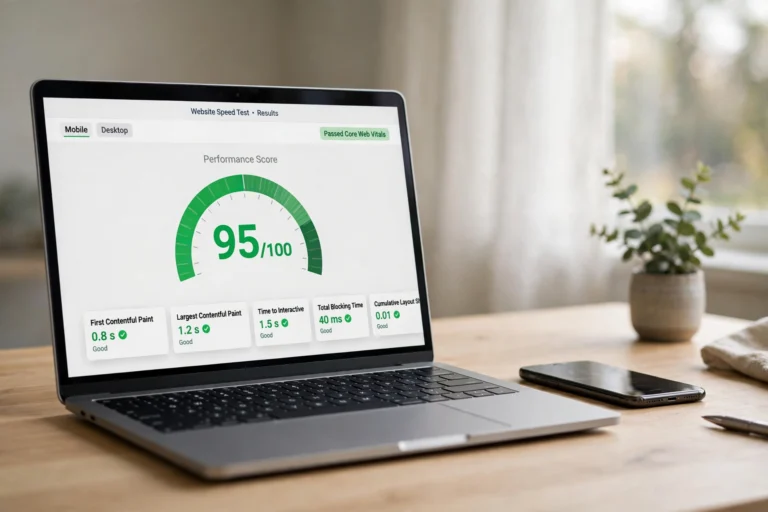
Beginners obsess over design; however, experienced bloggers obsess over speed and clarity. Therefore, your blog doesn’t need to look fancy — it needs to load fast, look trustworthy, and make your content easy to read on a phone (most of your visitors will be on mobile).
Choose a fast, simple theme
For example, pick a lightweight, well-maintained free theme. However, heavy “multipurpose” themes with sliders, animations, and page-builder bloat can add seconds to your load time — and every extra second costs you readers and rankings. As a result, a clean theme with good typography beats a flashy one every time.
The 4 pages every blog needs before launch
- About page — who you are, why you started the blog, and why readers should trust you. Include a real photo. This page builds more trust than anything else on a new blog.
- Contact page — a simple form or email address. Brands and readers need a way to reach you.
- Privacy Policy — legally required in most places once you run ads or analytics. Your SEO plugin or a free generator can create one.
- Affiliate disclosure — if you’ll use affiliate links, disclose it clearly. It’s legally required (FTC rules) and it actually builds trust — readers respect honesty.
Step 6: Plan Your First 10 Posts Around Keywords You Can Rank For
This is where most new blogs go wrong: they write about whatever feels interesting and wonder why Google ignores them. A new blog has almost no authority, so it can’t rank for competitive keywords yet. Your first posts must target long-tail, low-competition keywords — specific phrases with clear intent and weak existing results.
How to find keywords a new blog can rank for (free method)
- Start with questions. Type your niche topic into Google and note the “People also ask” questions and autocomplete suggestions. Each one is a potential article.
- Check who’s ranking. Open the top 5 results for each candidate keyword. If page one is full of major sites (Forbes, official brand pages), skip it. If you see small blogs, forums like Reddit or Quora, or thin outdated content — that’s a keyword you can beat.
- Match the intent. Google “best budget microphones” and you’ll see reviews and comparisons — that’s commercial intent. Google “how to reduce microphone echo” and you’ll see tutorials — that’s informational intent. Your article must match what the searcher actually wants.
- Prefer specific over broad. “How to start a blog” is brutally competitive; “how to start a food blog on a $50 budget” is winnable. Specificity is a new blog’s superpower.
A starter content mix for your first 10 posts
- 5 how-to guides answering specific beginner questions (your traffic foundation).
- 3 comparison or “best X” posts (these attract buyers and affiliate income later).
- 1 detailed personal-experience post (“what I learned in my first 3 months doing X”) — these build trust and get shared.
- 1 cornerstone guide — your longest, most complete post on your core topic. Everything else links to it.
Step 7: Write Posts That Actually Rank (and Get Read)
For example, Google’s ranking systems increasingly reward content that demonstrates real experience and fully answers the searcher’s question. Therefore, here’s a writing framework that works in 2026:
- Start with a direct answer. Open with a short summary that answers the question in 2–3 sentences. This wins featured snippets and serves AI search engines — and it respects the reader’s time.
- Use clear headings. Break the post into H2/H3 sections with descriptive titles. Readers scan before they read; headings are your table of contents.
- Show, don’t just tell. Include your own screenshots, photos, results, and numbers. “I tested three hosts and here’s what happened” beats “here are three hosts” every time.
- Write like you talk. Short paragraphs, simple words, no jargon without explanation. If a complete beginner can’t follow your post, rewrite it.
- End with FAQs. Answer the 5–10 most common follow-up questions. Each answer should start with a direct 1–2 sentence answer — this captures “People also ask” traffic and voice-search queries.
- Link generously. Link to your own related posts (internal links) and to authoritative sources (outbound links). Both help readers and search engines understand your content.
For example, aim for depth over word count as a vanity metric — but be honest with yourself: a 3,000-word guide that truly covers a topic will outrank a 600-word overview almost every time. In addition, most successful beginner posts land between 1,500 and 3,000 words.
Step 8: Get Your First 1,000 Visitors
For example, publishing without promotion is like opening a shop in the desert. Therefore, here’s where a new blog’s first visitors actually come from, in order of reliability:
1. Google search (slow, then compounding)
For example, SEO is your long-term engine. However, new posts typically take 3–6 months to rank, but once they do, traffic arrives daily without ongoing effort. Therefore, the keyword strategy from Step 6 is what makes this work — target winnable keywords and be patient.
2. Pinterest (the beginner’s secret weapon)
For example, Pinterest works like a visual search engine, and it’s far more forgiving to new accounts than Google. Therefore, create 2–3 attractive pins per article linking back to your posts. In addition, blogging, finance, food, and DIY niches do especially well here. Finally, many new blogs get their first meaningful traffic from Pinterest months before Google kicks in.
3. Communities (fast, but handle with care)
Reddit, Quora, Facebook groups, and niche forums can send your first visitors — if you genuinely help first. Answer questions thoroughly, and link to your article only when it truly adds value. Drive-by link-dropping gets you banned and earns nothing.
4. Email list (start on day one)
For example, add a simple signup form offering something useful (a checklist, a free guide). In addition, even 50 subscribers is an asset: every new post gets instant readers, and email is the one traffic source no algorithm can take away.
What not to do: don’t buy traffic, don’t join “traffic exchange” schemes, and don’t obsess over social media follower counts. A hundred targeted search visitors beat ten thousand random social scrollers for both income and growth.
How Much Money Can a New Blog Make in 2026?
The honest answer: $0 for the first few months, then growth that depends entirely on your traffic and monetization choices. Anyone promising specific income by a specific date is selling you something. That said, here’s a realistic timeline based on what consistent beginners actually experience:
| Stage | Typical traffic | Typical income | What’s happening |
|---|---|---|---|
| Months 0–3 | 0–500 visits/month | $0 | Publishing foundation posts; Google barely knows you exist |
| Months 3–6 | 500–5,000 visits/month | $0–$100/month | First rankings appear; Pinterest may kick in |
| Months 6–12 | 5,000–25,000 visits/month | $100–$1,000/month | Compounding SEO; first real affiliate/ad income |
| Year 2+ | 25,000–100,000+ visits/month | $1,000–$10,000+/month | Multiple income streams; some posts earn passively |
These are typical ranges, not guarantees. The bloggers who reach the right-hand column share three traits: they published consistently (at least weekly), they targeted keywords they could rank for, and they didn’t quit at month four — which is exactly when most people give up, right before results compound.
6 Ways Blogs Make Money in 2026 (Compared)
There are six proven monetization methods. Most successful blogs eventually use two or three together. Here’s how they compare:
| Method | How it pays | Typical beginner income | Traffic needed |
|---|---|---|---|
| Display ads | Per 1,000 ad views | $10–$30 per 1,000 visits (AdSense) | Works at any level; meaningful at 10k+/month |
| Affiliate marketing | Commission per sale | $50–$500/month with buyer-intent posts | Low — 10 buyer-intent visitors beat 1,000 casual ones |
| Digital products | Direct sales | $100–$2,000/month | Low if you have an email list |
| Sponsored posts | Flat fee per post | $50–$500 per post | Brands want 10k+/month or a strong niche |
| Freelance services | Per project | $500–$5,000/month | Almost none — your blog is your portfolio |
| Email/newsletter | Sponsorships + product sales | $100–$1,000/month | 500+ engaged subscribers |
1. Display ads — pros and cons
How it works: you place ad code on your blog (starting with Google AdSense) and earn when visitors see or click ads. Premium networks like Mediavine or Raptive pay significantly more but require higher traffic (typically 50,000+ monthly sessions). Before you apply, here’s how to get Google AdSense approval in 2026.
Pros: completely passive once set up; works on any niche with traffic; scales automatically as you grow.
Cons: pays poorly at low traffic ($10–$30 per thousand visits on AdSense); too many ads hurt user experience; you have little control over what’s advertised.
2. Affiliate marketing — pros and cons
How it works: you recommend products and earn a commission when readers buy through your links. Web hosting affiliates, for example, famously pay $50–$150+ per signup — which is why hosting content is so competitive.
Pros: the highest income per visitor of any passive method; works with small but targeted traffic; no product to create or support.
Cons: income depends on reader trust — pushy promotion kills it; commissions and cookie durations vary; programs can change terms.
3. Digital products — pros and cons
How it works: you sell ebooks, templates, checklists, presets, or mini-courses to your readers. You keep nearly 100% of each sale (minus payment fees).
Pros: highest profit margins; you own the product forever; builds your brand authority.
Cons: requires upfront work to create; needs an audience that trusts you; customer support is on you.
4. Sponsored posts — pros and cons
How it works: brands pay you a flat fee to publish content featuring their product. Rates depend on your traffic and niche authority.
Pros: good flat payments; no selling required beyond your normal content.
Cons: brands only come once you’re established; must always disclose sponsorships; too many sponsored posts erode reader trust.
5. Freelance services — pros and cons
How it works: your blog acts as proof of expertise. A blogging-skills blog can sell writing services; a design blog can sell design work. This is often the fastest way a new blog makes real money.
Pros: highest income with the least traffic; starts working with your very first clients; builds real-world credibility.
Cons: trades time for money (not passive); client work can distract from growing the blog.
6. Email newsletter — pros and cons
How it works: you build an email list from your blog, then monetize through newsletter sponsorships, affiliate recommendations, or your own products.
Pros: you own the audience (no algorithm risk); email converts far better than blog sidebars; compounds over years.
Cons: slow to build; requires consistent valuable emails, not just “new post” notifications.
How to Choose the Right Monetization Mix
Don’t try all six at once. Use this decision framework:
- If you need money fast (months 0–6): offer a freelance service related to your niche. Your blog is your portfolio and credibility — even five posts prove you know your stuff. This is the only method that pays meaningfully before you have traffic.
- If your niche has buyer intent (hosting, tools, gear): prioritize affiliate marketing. Write honest reviews and comparisons of products you’d recommend to a friend, and disclose every affiliate link.
- If your niche is informational (recipes, parenting, hobbies): prioritize display ads plus digital products. These niches get high traffic but lower buyer intent, so volume-based income fits best.
- If you love teaching: build toward a digital product or course. Start with free in-depth guides, note which topics get the most engagement, then package the best material into a paid product.
- Always: start your email list from day one, whatever else you do. It amplifies every other method.
The golden rule of blog monetization: help first, sell second. Every successful blog income report has the same underlying story — the blogger spent months creating genuinely useful free content, earned trust, and then monetization worked. Reverse the order and nothing works.
9 Mistakes That Kill New Blogs (Avoid All of Them)
- Writing without keyword research. Publishing posts nobody searches for is the #1 cause of the “no traffic” complaint. Every post should target a real query.
- Quitting at month 3–4. This is precisely when Google starts noticing new blogs. Most quitters were weeks away from their first real traffic.
- Buying too many tools. You need domain + hosting + free WordPress. Premium themes, keyword tools, and courses can all wait until you’re earning.
- Ignoring the renewal price. That $2.99/month hosting renews at $10.99+. Budget for year two on day one.
- Publishing inconsistently. Ten posts in one week then silence for two months teaches Google (and readers) to ignore you. One quality post per week beats bursts.
- Copying competitors. Rewriting someone else’s post in your own words adds nothing new — and Google knows. Add your experience, data, or a better structure.
- Monetizing too early. A blog with 5 posts and 12 affiliate banners looks desperate. Build 20–30 helpful posts first, then add monetization.
- Neglecting site speed. A blog that takes 6 seconds to load loses half its mobile visitors before they read a word. Keep it fast: lightweight theme, few plugins, compressed images.
- No email list. Relying 100% on Google means one algorithm update can wipe you out. An email list is insurance you build one subscriber at a time.
Your 30-Day Launch Workflow
Here’s a realistic plan to go from zero to a live, monetizable blog in one month:
| Week | Focus | Deliverables |
|---|---|---|
| Week 1 | Foundation | Niche chosen; blog name + domain purchased; hosting bought (longest intro term); WordPress installed and secured |
| Week 2 | Setup + research | Theme + 4 essential plugins; About/Contact/Privacy/disclosure pages live; 30 keyword ideas researched; first 10-post plan finalized |
| Week 3 | Content sprint | First 5 posts published (3 how-tos, 1 comparison, 1 personal experience); each with images and internal links |
| Week 4 | Traffic + systems | Next 5 posts published; Pinterest account created with 10 pins; email signup form live; Google Search Console connected |
After day 30, the routine is simple: publish one quality post per week, create 2–3 pins per post, answer questions in one community, and review your Search Console data monthly to double down on what’s starting to rank. Repeat for a year.
Frequently Asked Questions
How much does it cost to start a blog in 2026?
In total, about $40–$100 for the first year. For example, a domain costs $10–$15/year and beginner shared hosting costs roughly $30–$70 for the first year on a discounted intro term. In addition, WordPress itself is free. Therefore, avoid buying premium themes or tools until the blog earns money.
Is blogging dead in 2026?
No — but lazy blogging is. For example, AI search answers simple questions directly, so thin generic posts don’t rank anymore. However, blogs with real experience, original photos, honest opinions, and in-depth tutorials still grow and earn.
How long does it take to make money blogging?
Typically 6–12 months of consistent publishing. For example, most blogs earn nothing for the first 3–6 months while Google learns to trust them. As a result, bloggers who publish weekly, target winnable keywords, and don’t quit usually see their first real income around month 6–9.
Can you start a blog for free and still make money?
Technically yes, but it’s a bad idea. For example, free platforms (like a wordpress.com subdomain) limit monetization, look unprofessional to brands, and can shut down your site. In contrast, for the price of a pizza, a self-hosted domain gives you full ownership and earning potential.
How many posts do you need before you make money?
There’s no magic number, but 30–50 quality posts is a common turning point. What matters more is targeting: 20 posts answering real searched questions outperform 100 posts about random thoughts.
What’s the most profitable blog niche for beginners?
Niches where readers spend money: personal finance, web hosting/tools, business, and tech. That said, the most profitable niche is one you’ll actually stick with — an abandoned finance blog earns less than an active cooking blog.
Do I need to be a good writer to start a blog?
No — you need to be clear and helpful. Blog readers want answers, not literature. Short paragraphs, simple words, and real examples beat fancy prose. Your writing improves naturally with every post.
How do bloggers get paid — who actually sends the money?
It depends on the method: ad networks (like Google AdSense) pay you monthly once you pass their payment threshold; affiliate programs pay commissions on their own schedules; digital-product platforms (like Gumroad) pay out to your bank; sponsors and clients pay you directly by invoice or contract.
Should I start a blog or a YouTube channel to make money?
For example, blogs are cheaper to start, easier to update, and better for search-driven affiliate income; however, YouTube can grow faster but demands far more production time per piece of content. In addition, many successful creators eventually do both, using the blog for in-depth guides and video for reach. Therefore, if you must pick one and you’re a beginner, a blog is the lower-risk start.
Can blogging income be passive?
Partially — after a lot of active work. For example, a ranked post can earn affiliate commissions or ad revenue for years with no further effort, which feels passive. However, reaching that point takes months of writing, and maintaining rankings requires occasional updates. Finally, think “delayed income,” not “no-work income.”
Do I need an LLC or business registration to start a blog?
Not to start. You can blog as an individual and report the income on your personal taxes. Once you’re earning consistent money, talk to a local accountant about whether registering a business makes sense in your country — rules vary.
What’s the single biggest factor in a new blog’s success?
Consistency over 12 months. Not the theme, not the host, not a secret SEO trick — just publishing one genuinely helpful post every week for a year while targeting keywords you can rank for. Almost everyone who does this sees results; almost everyone who quits doesn’t.
Final Thoughts: Start This Weekend
Learning how to start a blog and make money in 2026 is the easy part — you’ve just read the whole playbook. The hard part is starting before you feel ready. So here’s your permission slip: your niche doesn’t need to be perfect, your first posts won’t be your best, and your design will evolve. What matters is that the domain is registered, WordPress is installed, and post #1 is published.
Pick your niche today. Buy the domain and hosting tomorrow. Publish your first post this weekend. Then publish one more next week — and keep going. A year from now, you’ll either have a growing online asset or another “someday” idea. The difference is entirely in what you do in the next 72 hours.
Next steps on avaradar.com: once your hosting is sorted, make sure you understand what you’ll pay when the intro discount ends — read our Hostinger renewal prices explained guide — and if you’re still deciding between providers, our beginner’s web hosting guide will help you choose with confidence.

5 Comments