
Introduction
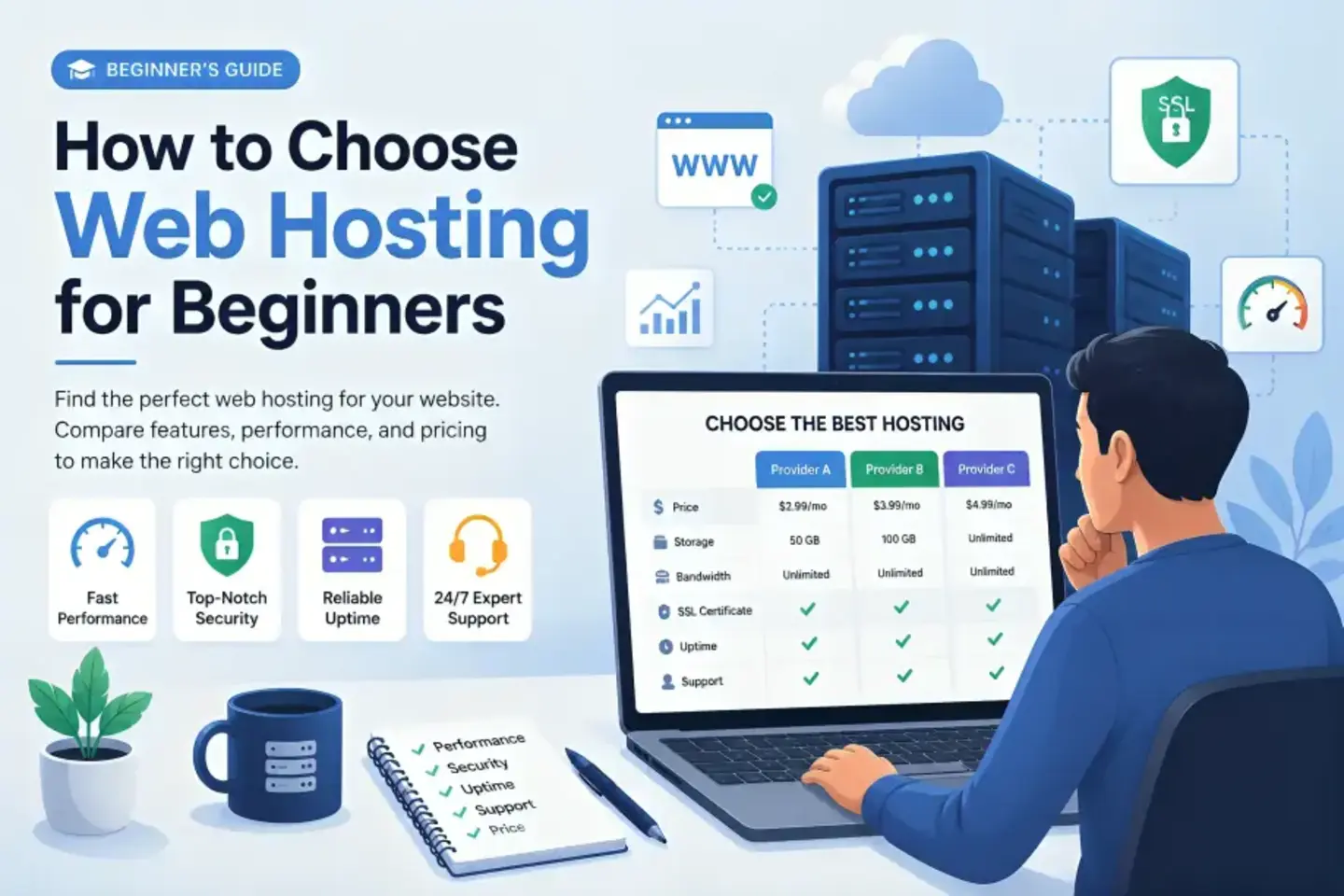
So you’re building your first website — congratulations. But before you can publish anything, you need somewhere to actually put it. That means web hosting. Here’s how to choose web hosting.
The problem? There are hundreds of hosting companies all claiming to be the best, cheapest, and fastest option. If you’re trying to figure out how to choose web hosting without losing your mind, you’re not alone.
This guide cuts through the noise. We’ll walk you through every factor that matters — from server speed and uptime to pricing transparency and customer support — so you can make a confident decision, even if this is your very first website.
Prices and features mentioned throughout this guide are subject to change, so always check the provider’s official website for the most current information before you buy.
Let’s start from the beginning.
Quick Summary
Not ready to read 4,000 words? Here’s the short version.
What to look for:
- Server uptime of 99.9% or higher
- Page load times under 2 seconds
- Free SSL certificate included
- A beginner-friendly control panel (cPanel or hPanel)
- 24/7 customer support via live chat
- Clear renewal pricing (not just intro pricing)
- A refund policy of at least 30 days
Who needs what:
- Bloggers and beginners → Shared hosting
- Growing small businesses → VPS or cloud hosting
- WordPress users → WordPress-optimized shared or managed hosting
- E-commerce stores → VPS, cloud, or dedicated hosting
Now let’s go deeper.
What Is Web Hosting and Why Does It Matter?
Web hosting is a service that stores your website’s files — code, images, databases — on a server, and makes them accessible to anyone who visits your URL.
Think of it like renting space in a building. Your website lives in that space. The quality of the building (the server) determines how fast visitors get in, how often the doors stay open, and what happens when something goes wrong.
A bad host means:
- Slow page loads that drive visitors away
- Frequent downtime that costs you traffic and credibility
- Poor security that leaves your site vulnerable
- Support that’s nowhere to be found when you need help
A good host gives you the opposite. That’s why learning how to choose web hosting correctly — before you commit to a plan — is one of the smartest things you can do as a website owner.
Comparison Table
← Scroll to see full table →
| Provider | Starting Price | Uptime | Free SSL | Free Domain | Best For | Refund Policy |
|---|---|---|---|---|---|---|
Hostinger | ~$2.99/month | 99.9% | ✓ Yes | ✓ Yes | Budget beginners | 30 days |
Bluehost | ~$2.95/month | 99.9% | ✓ Yes | ✓ Yes | WordPress beginners | 30 days |
SiteGround | ~$3.99/month | 99.99% | ✓ Yes | ✗ No | Performance & support | 30 days |
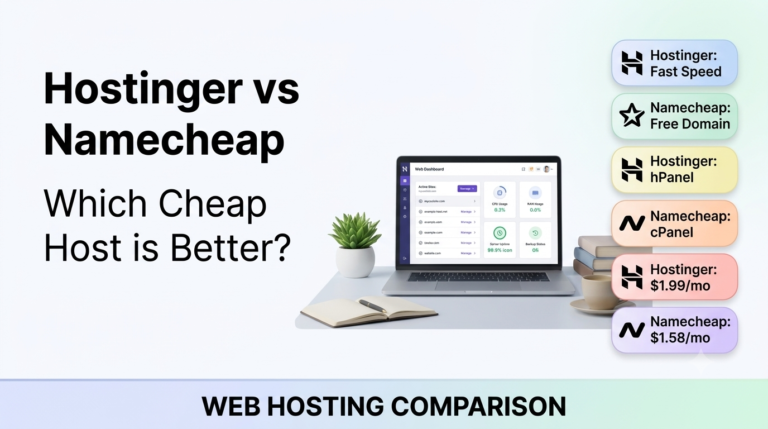
Namecheap | ~$1.98/month | 99.9% | ✓ Yes | ✓ Yes | Ultra-budget sites | 30 days |
DreamHost | ~$2.59/month | 100% | ✓ Yes | ✓ Yes | Privacy & flexibility | 97 days |
HostGator | ~$3.75/month | 99.9% | ✓ Yes | ✓ Yes | Flexible plan options | 45 days |
A2 Hosting | ~$2.99/month | 99.9% | ✓ Yes | ✗ No | Speed-focused users | Anytime (prorated) |
GreenGeeks | ~$2.95/month | 99.9% | ✓ Yes | ✓ Yes | Eco-conscious users | 30 days |
ScalaHosting | ~$3.95/month | 99.9% | ✓ Yes | ✗ No | Budget cloud hosting | 30 days |
Cloudways | ~$11.00/month | 99.99% | ✓ Yes | ✗ No | Scaling businesses | 3 days (limited) |
How to Choose Web Hosting: The Key Factors That Actually Matter
This is the core of the guide. These are the things that separate a hosting plan that serves you well for years from one you’ll regret after the first renewal.
Uptime and Reliability
If your website is offline, nothing else matters. Uptime refers to the percentage of time your hosting server is actually running and accessible.
The industry standard is 99.9% uptime. In practical terms, 99.9% means roughly 8.7 hours of downtime per year. That sounds like a lot when you think about it that way — and it is. The best hosts routinely hit 99.95% or higher in real-world monitoring.
What to look for:
- Uptime guarantee of at least 99.9%
- Service credits if the host fails to meet that guarantee
- Independent uptime monitoring (don’t rely on the provider’s own reports)
Page Load Speed
Speed isn’t just about user experience — it directly affects your Google rankings. Google confirmed page speed as a ranking factor, and research consistently shows that users abandon pages that take more than 3 seconds to load.
When you’re evaluating how to choose web hosting for speed, look for:
- Server type: LiteSpeed servers are faster than standard Apache setups. Look for them on budget plans (Hostinger, GreenGeeks, A2 Hosting).
- SSD storage: Solid-state drives load data significantly faster than traditional spinning disks. Virtually every reputable host uses SSDs now — but double-check.
- CDN integration: A Content Delivery Network (CDN) like Cloudflare serves your site from a server location closer to your visitor. Many hosts include basic CDN access on shared plans.
- Built-in caching: Server-level caching reduces how often your site has to process requests from scratch. SiteGround’s SuperCacher and A2’s Turbo Cache are good examples.
- Data center location: For most traffic coming from a specific region, choose a host with servers physically close to that audience.
You can test any website’s speed for free using Google PageSpeed Insights or GTmetrix.
Pricing and Renewal Rates
This is where most beginners get caught off guard.
Almost every hosting provider advertises heavily discounted introductory prices — sometimes 60–80% off the regular rate. That $2.99/month plan you signed up for? At renewal, it might jump to $8.99 or $10.99 per month.
That’s not dishonest — it’s the standard business model — but it means you need to do the math before you commit.
What to check before buying:
- What is the introductory price?
- What is the renewal price after the first term?
- Does the price lock in if you pay for 2–3 years upfront?
- Are there any hidden fees (domain privacy, site backups, email hosting)?
The longest-commitment plans often have the lowest monthly rates but the highest total upfront cost. For most beginners, a 1-year plan strikes the right balance between savings and flexibility.
Types of Hosting Plans
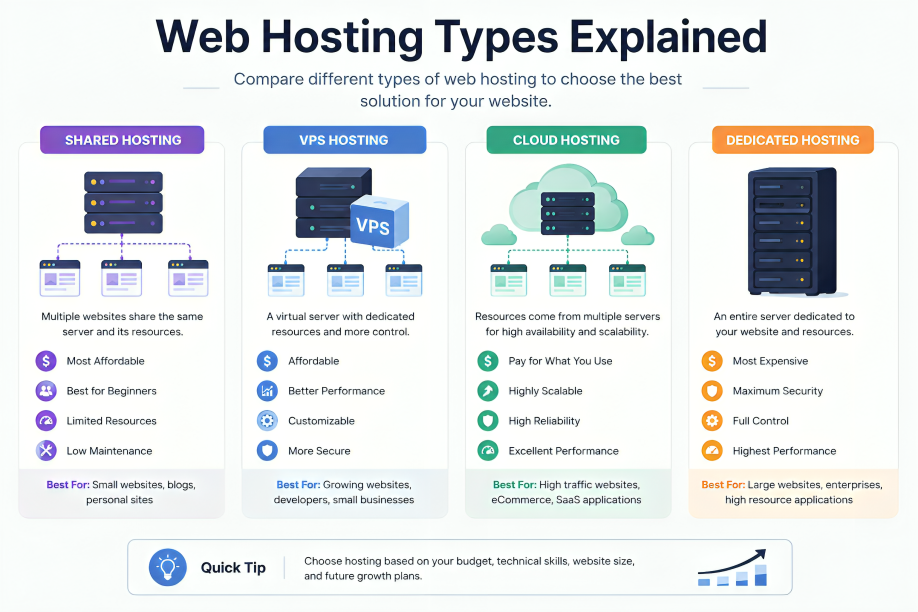
Part of knowing how to choose web hosting is understanding which type of hosting actually fits your situation. Here’s a plain-language breakdown.
Shared Hosting
Your website shares a server with dozens or hundreds of other sites. Resources like CPU and RAM are divided between everyone. It’s the cheapest option and perfect for most beginners.
Best for: Blogs, personal sites, small business pages, portfolios.
VPS Hosting (Virtual Private Server)
You still share a physical server, but you get a dedicated slice of its resources. More performance, more control, higher price.
Best for: Growing websites that have outgrown shared hosting.
Cloud Hosting
Your site runs across a network of servers rather than a single machine. If one server has issues, another picks up the load. More resilient and scalable than shared or VPS.
Best for: Sites with variable traffic, growing businesses, developers.
Dedicated Hosting
You rent an entire physical server just for your website. Extremely powerful and expensive. Not relevant for most beginners.
Best for: Large e-commerce stores, enterprise applications, high-traffic platforms.
Managed WordPress Hosting
A specialized form of hosting where the provider handles WordPress-specific performance tuning, security, and updates. Costs more but removes a lot of maintenance burden.
Best for: WordPress sites where performance and hands-off management matter more than price.
SSL Certificate and Security
An SSL certificate encrypts the connection between your website and your visitors. You’ll recognize it as the padlock icon in the browser address bar and the “https” prefix in your URL.
Google has used HTTPS as a ranking signal since 2014. Visitors also notice — many users will leave immediately if a browser warns them a site is “not secure.”
The good news: most reputable hosts now include a free SSL certificate (usually from Let’s Encrypt) on all plans. It should not be an upsell.
Beyond SSL, look for:
- Automatic malware scanning and removal
- Web application firewall (WAF)
- DDoS protection
- Two-factor authentication on the hosting account
- Automatic daily or weekly backups (and how easy it is to restore them)
Control Panel Usability
The control panel is the dashboard where you manage everything — installing WordPress, creating email accounts, managing files, checking resource usage.
cPanel is the industry standard. If you’ve seen tutorials or YouTube videos about web hosting, they’re almost certainly using cPanel. It’s powerful and well-documented.
hPanel (Hostinger’s custom panel) is a newer alternative designed to be cleaner and more beginner-friendly. It strips away complexity without sacrificing functionality.
Plesk is another common option, used by some hosts as a cPanel alternative.
The main thing to avoid: hosts that use a bare-bones, undocumented custom interface with no clear tutorials. You’ll waste hours doing basic tasks.
Customer Support Quality
Support matters most when something goes wrong — and at some point, something always does. A broken site at 11 PM on a Saturday is when you’ll find out whether your host’s support team is actually useful.
What to look for:
- 24/7 live chat (not just email tickets)
- Knowledgeable agents (not just copy-paste script readers)
- Average response time under 3 minutes for live chat
- A comprehensive knowledge base for self-service
What to watch out for:
- Hosts that offer only email support with 24–48 hour response windows
- Support agents who escalate every non-trivial question without resolving it
- “Priority support” locked behind higher-tier plans
SiteGround and A2 Hosting consistently earn top marks in real-world support tests. Hostinger has improved significantly and offers fast live chat. DreamHost’s live chat hours are limited, which is worth noting if you’re in a time zone where that matters.
Storage and Bandwidth
Most beginners don’t need to worry much about storage early on. A standard WordPress blog with dozens of posts and images typically uses 1–3 GB of storage. A clean install of WordPress itself is under 50 MB.
That said, watch for hosts that use “unlimited” as marketing language. Read the terms — unlimited almost always has fair-use clauses that can result in throttling or account suspension if you genuinely push the limits.
Bandwidth (the amount of data transferred between your server and visitors) is similar. For low-traffic sites under 10,000 monthly visitors, you’re unlikely to come close to the limits on any standard shared plan.
Email Hosting
If you want a professional email address like yourname@yourdomain.com, you’ll need email hosting. Many shared hosting plans include it, but the quality varies.
Options:
- Use the host’s built-in email — convenient, but can affect deliverability
- Use Google Workspace — more reliable, better integrations, costs extra (~$6/user/month)
- Use Zoho Mail (free tier available) — a solid middle ground
Check whether your host’s plan includes email accounts and how many. Some limit you to 1–5 accounts on entry plans.
How to Choose Web Hosting Based on Your Website Type
Not all websites are the same. Here’s a practical breakdown by use case.
How to Choose Web Hosting for a Blog
Blogs typically have modest traffic, mostly text content, and don’t need high-performance infrastructure to get started.
What matters most for blogs:
- Low price (you want to experiment without a big financial commitment)
- Easy WordPress installation
- Enough storage for images and media
- Basic email for contact forms
Recommended: Shared hosting from Hostinger, Bluehost, or GreenGeeks. Any of these will handle a blog comfortably through the first 50,000–100,000 monthly visitors.
How to Choose Web Hosting for a WordPress Site
WordPress powers over 43% of all websites on the internet, according to W3Techs. Choosing a host that’s well-suited for WordPress makes a real difference.
Look for:
- One-click WordPress installation
- PHP version 8.0 or higher
- MySQL database support
- WordPress-specific caching (not just generic caching)
- Automatic WordPress core updates (on managed plans)
WordPress.org officially recommends Bluehost, DreamHost, and SiteGround. All three are solid starting points.
How to Choose Web Hosting for a Small Business
A business website has different stakes than a personal blog. Downtime means lost revenue. Slow loading means lost customers. Poor email reliability means missed inquiries.
Priorities for small business hosting:
- Uptime reliability above all else
- Professional email that’s not going to the spam folder
- SSL certificate (non-negotiable for business credibility)
- Daily backups so you can recover from any incident
- Scalable plan you can grow into without migrating
Recommended: SiteGround (for reliability + support), A2 Hosting (for speed), or Cloudways (if you’re expecting meaningful traffic growth).
How to Choose Web Hosting for an E-Commerce Store
E-commerce adds complexity: payment processing, product databases, high-resolution images, customer account systems. You need more than the average shared plan.
What e-commerce hosting needs:
- SSL certificate (mandatory for payment processing)
- High performance and fast server response
- WooCommerce or Magento compatibility
- Ability to handle traffic spikes (sales, promotions)
- Easy scalability
Recommended: VPS hosting or cloud hosting. Cloudways is particularly strong here due to its flexible scaling and managed environment.
What to Look for When You Choose Web Hosting on a Budget
Budget hosting doesn’t have to mean bad hosting. The key is knowing where corners get cut and whether those corners matter for your situation.
Budget hosts often save money by:
- Putting more customers on each server (affecting performance)
- Offering slower or less available support
- Excluding features like daily backups and advanced security
- Using lower-tier data center infrastructure
For most beginners launching a first site, these trade-offs are acceptable. You can always migrate to a better host later, and many hosts offer free migration assistance when you move to them.
What you should never compromise on, even on a budget:
- Free SSL certificate
- 99.9% uptime guarantee
- At least a 30-day refund policy
- cPanel or another standard control panel
- One-click WordPress installation
Namecheap (~$1.98/mo) and Hostinger (~$2.99/mo) are the two strongest budget options that don’t cut these corners.
Common Mistakes to Avoid When You Choose Web Hosting
Even people who do their research end up making avoidable mistakes. Here are the most common ones.
Mistake 1: Only Looking at the Introductory Price
We mentioned this earlier, but it deserves its own section. The introductory price is almost never what you’ll pay long term. Before you buy, calculate what the plan costs at renewal — multiply it by the number of months in your billing cycle to get a real picture of total cost.
Mistake 2: Choosing a Host Just Because a Coupon Code Is Popular
Affiliate marketing is a major part of the web hosting industry. Some sites recommend hosts primarily because they pay high commissions — not because they’re the best fit for you. Look for reviews that include genuine cons, real performance data, and refund policy details.
Mistake 3: Ignoring the Renewal Policy
Some plans don’t let you renew at the introductory rate. Others require you to stay on the same billing cycle length to maintain a discounted rate. Read the renewal terms before you buy.
Mistake 4: Picking the Cheapest Plan for a Site That Needs More
If you’re building an online store or a high-traffic community site from day one, starting on a $2/month shared plan will cost you more in the long run through poor performance and eventual migration headaches.
Mistake 5: Not Testing the Support Before You Need It
Before you commit to a host, open a pre-sales live chat and ask a detailed technical question. How fast did they respond? Did they actually answer the question? This is a preview of what real support will look like.
Mistake 6: Skipping the Backup Check
Many beginners assume their host backs up their site. Sometimes they do — sometimes they don’t, or they only keep 7 days of backups, or restoring costs extra. Confirm the backup policy before something goes wrong.
How to Move to a Better Host Later (A Quick Word)
Even if you pick the wrong host at first, it’s not a permanent mistake. Migrating a website between hosts is a well-understood process, and most good hosts offer free migration assistance when you sign up with them.
For WordPress sites, the process is generally:
- Export your database and files (or use a migration plugin like Duplicator or All-in-One WP Migration)
- Set up your new hosting account and install WordPress
- Import your site to the new server
- Point your domain’s DNS records to the new host
- Test everything before the DNS change propagates fully
Most shared hosting migrations can be completed in a few hours without any downtime for visitors if done correctly.
Pros and Cons of the Main Hosting Types
Shared Hosting
Pros
- Lowest cost — ideal for beginners
- No technical server knowledge required
- Quick setup with one-click installers
Cons
- Performance affected by “noisy neighbor” sites sharing the same server
- Limited control over server configuration
- Not suitable for high-traffic sites
VPS Hosting
Pros
- Dedicated resources guarantee consistent performance
- Full root access for configuration
- Scales better as traffic grows
Cons
- More expensive than shared hosting
- Requires some technical knowledge to manage
- Overkill for simple beginner sites
Cloud Hosting
Pros
- Highly scalable — pay for what you use
- Excellent reliability due to distributed infrastructure
- Good for sites with unpredictable traffic spikes
Cons
- Can become expensive as usage grows
- Billing complexity compared to flat-rate shared plans
- Higher starting price than basic shared hosting
Managed WordPress Hosting
Pros
- Optimized specifically for WordPress performance
- Automatic updates and security managed for you
- Staging environments and developer tools often included
Cons
- Most expensive category per unit of resource
- Less flexible for non-WordPress use
- Can feel restrictive for developers who want server access
Frequently Asked Questions
What is the most important factor when choosing web hosting?
Uptime reliability is the single most important factor. A host with 99.9% uptime means your site is accessible almost all the time. After uptime, page load speed and customer support quality are close seconds. When figuring out how to choose web hosting, get these three things right before worrying about anything else.
How much should I spend on web hosting as a beginner?
For a first website, $2–$5 per month is a reasonable budget for shared hosting. That range covers solid options from Hostinger, Bluehost, and GreenGeeks. Avoid the very cheapest free or $0.99/month plans — they almost always have severe limitations. As your site grows, a budget of $10–$30/month for VPS or cloud hosting becomes appropriate.
What does “unlimited storage” actually mean in web hosting?
It’s a marketing term, and it doesn’t mean what it sounds like. In practice, “unlimited” plans have fair-use policies in their terms of service. If you consume significantly more resources than the average user on the same server, the host may throttle your account or ask you to upgrade. For most beginner sites under 5 GB of data, this is not a concern in practice.
Do I need a domain name to get web hosting?
You need both a domain name and a hosting plan for a website — but you don’t have to buy them together. Many hosting providers include a free domain name for the first year (Hostinger, Bluehost, DreamHost, Namecheap). After the first year, you’ll typically pay $10–$15 annually to renew the domain.
How to choose web hosting for a site that might grow quickly?
If you anticipate significant growth, start on a mid-tier shared plan and pick a host with seamless upgrade paths to VPS or cloud. Cloudways and ScalaHosting are especially good options here — their cloud plans scale without requiring a full migration. Avoid hosts that make upgrading difficult or that lock you into a platform without a growth plan.
Is free web hosting ever a good idea?
Rarely. Free hosting typically comes with limitations like ads on your site, no custom domain, minimal storage, poor uptime, and zero support. For anything you take seriously — a business, a portfolio, a blog you want people to read — paid hosting starting around $2–$3/month is far superior. The annual cost of basic hosting is less than a single meal out.
How to choose web hosting when I don’t know how much traffic I’ll get?
Start on a shared plan. Shared hosting comfortably handles 10,000–50,000 monthly visitors depending on the host and your site’s content. If your traffic grows significantly, most hosting providers make it easy to upgrade. Don’t pay for infrastructure you don’t need yet — scale when the data tells you to.
What’s the difference between web hosting and a domain name?
A domain name is your website’s address (e.g., yourbrand.com). Web hosting is the service that stores your website’s files and makes them accessible at that address. You need both. Think of it this way: the domain is the street address, and the hosting is the actual building where everything is kept.
Should I buy hosting and domains from the same company?
It’s convenient, but not essential. Keeping your domain and hosting with different providers can actually be a safety measure — if you ever need to change hosts, your domain isn’t tied to the same account. Services like Namecheap (domain) paired with Hostinger or SiteGround (hosting) is a common and sensible setup.
How to choose web hosting that won’t slow down my WordPress site?
Look for hosts that offer LiteSpeed servers, built-in WordPress caching, PHP 8.1+, and a CDN. SiteGround, A2 Hosting, and Hostinger all meet these criteria. Additionally, use a lightweight WordPress theme, optimize your images before uploading, and limit the number of plugins. The host matters — but so does how you build the site. The WordPress.org hosting page is a good starting reference.
Conclusion
Knowing how to choose web hosting isn’t about finding the single “best” provider in the world — it’s about finding the right match for your specific situation.
Start by answering these three questions:
- What type of website are you building?
- What is your realistic budget, including renewal pricing?
- How much technical involvement do you want?
If you’re a complete beginner launching a blog or personal site, shared hosting from Hostinger or Bluehost will serve you well at a price that won’t hurt. If WordPress is your platform, SiteGround’s combination of performance and support is hard to beat. If you expect your site to grow fast, look at Cloudways or ScalaHosting for cloud flexibility from day one.
Whatever you choose, make sure you have a free SSL certificate, a refund period of at least 30 days, and a support team you’ve actually tested before committing.
The most important thing? Stop researching and start building. You now know how to choose web hosting with confidence — and you can always migrate if your first choice doesn’t work out.
Official Resources and Outbound Links
- WordPress.org — Recommended Hosting Providers
- Google PageSpeed Insights — Free Speed Testing Tool
- GTmetrix — Website Performance Testing
- Let’s Encrypt — Free SSL Certificates
- Cloudflare — Free CDN and DNS Service
- Hostinger — Official Website
- SiteGround — Official Website
- DreamHost — Official Website
- A2 Hosting — Official Website
- Namecheap — Official Website



One Comment