
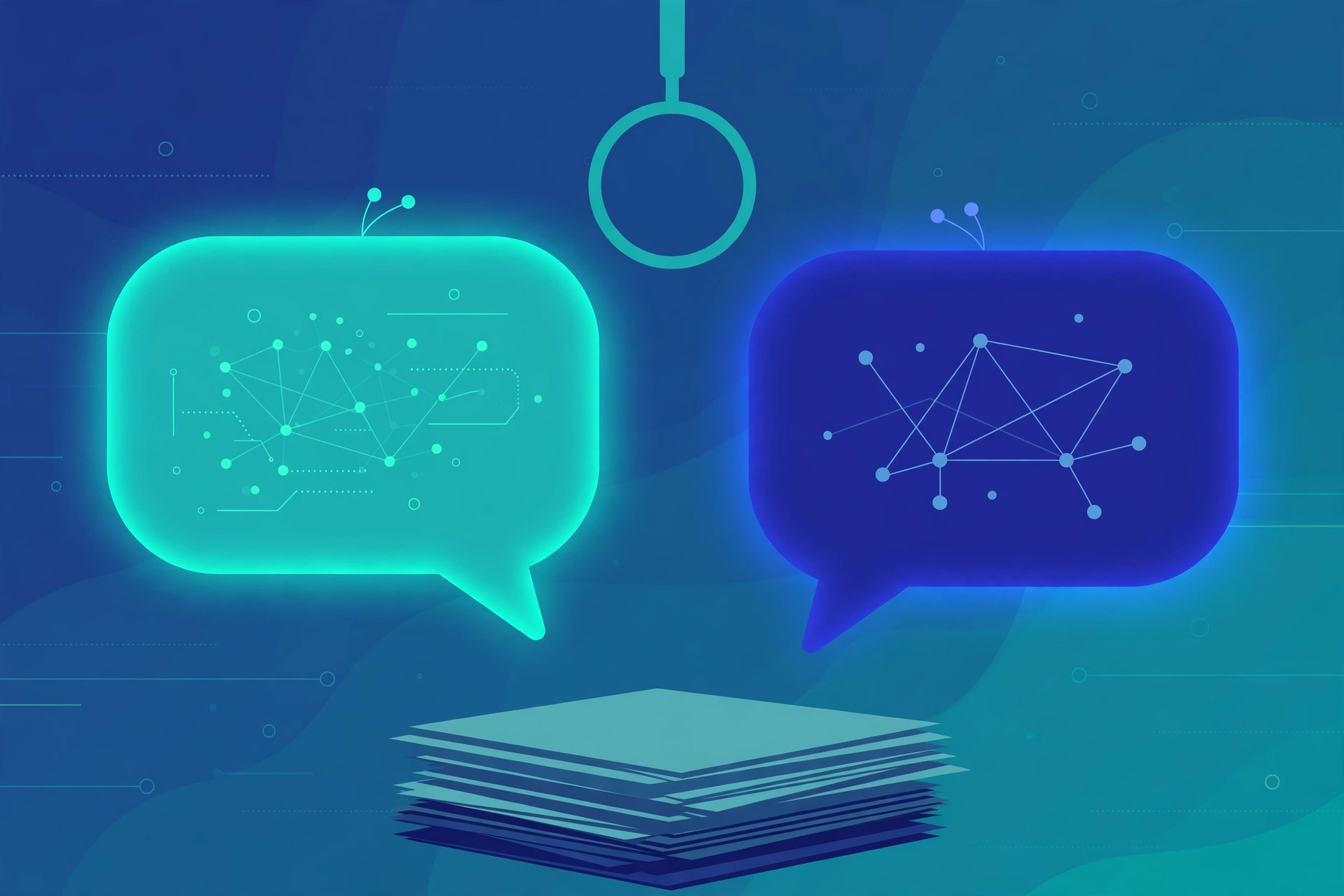
TL;DR: Perplexity vs ChatGPT for Research
- For finding things out, Perplexity wins. Every answer carries numbered citations by default, so you can check each claim against its source in seconds.
- For doing something with what you found, ChatGPT wins. Its Deep Research reports are longer and more structured, and it turns findings into drafts, tables, code and analysis in the same place.
- Neither tool is safe to trust blindly. Published studies put citation accuracy anywhere from 40% to 80%, and even the best models produced working links more than 94% of the time while only 39–77% of their claims were actually accurate.
- Both main paid plans cost $20 a month (Perplexity Pro is $17 a month when billed annually). Both have usable free tiers, so try both before paying.
- The smartest setup is both: discover and verify sources in Perplexity, then analyse and write in ChatGPT — and open the sources yourself before you cite anything.
Choosing between Perplexity and ChatGPT for research feels harder than it should. Both answer questions in seconds, both now offer a Deep Research mode, and both charge $20 a month for their main paid plan. So which one actually gives you better answers?
The honest answer is that it depends on what “research” means for you. If your job is finding facts you can cite — checking a statistic before you publish it, gathering sources for an essay, verifying a claim a colleague made — the two tools behave very differently. If your job is turning a pile of findings into a report, the difference flips the other way.
This guide compares Perplexity vs ChatGPT for research the way a beginner actually needs it: what each tool is, how their citations differ, what published accuracy studies really found (with the numbers and their sources, not marketing claims), how their Deep Research modes compare, what each one costs in 2026, and a practical workflow that uses both together. No affiliate links here — neither tool pays us — so the verdict is based on evidence, not commission.
What Perplexity and ChatGPT Actually Are
Before comparing features, it helps to understand that these two tools were built for different jobs. That single design choice explains almost every difference that follows.
Perplexity: an answer engine built on search
Perplexity is an answer engine. You ask a question, and instead of giving you a list of links like Google, it searches the live web in real time, reads the pages it finds, and writes you an answer with numbered citations attached to nearly every claim. The sources come first; the answer is built on top of them.
Perplexity runs on its own in-house Sonar models by default, but on its Pro plan it also lets you pick models from other labs — including OpenAI, Anthropic, Google, xAI and more — inside a single subscription. In other words, Perplexity is less a single model and more a search layer that runs several companies’ models on top of its own web search.
Because every query triggers a live search, Perplexity is naturally strong on current events, prices, and anything that changed recently. Ask it about a product launch from last week and it reads last week’s pages. That is its whole reason to exist.
ChatGPT: a general assistant that searches when it needs to
ChatGPT is a general-purpose assistant. It writes, reasons, analyses files, writes code, makes images, holds long conversations — and it also searches the web. The difference is that search is one tool in its kit, not its default mode. Ask ChatGPT a question and it may answer from what the model already knows, or it may decide to run a web search first. Its Deep Research mode is the exception: that runs an extended, multi-source investigation and returns a long, cited report.
ChatGPT runs OpenAI’s own model family. On paid tiers that is GPT-5.6 Sol, with GPT-6 Astra (launched September 2026) available inside ChatGPT Work and Codex, while the free tier runs GPT-5.6 Luna. Unlike Perplexity, you cannot switch to a rival lab’s model inside ChatGPT — you are buying into OpenAI’s ecosystem, with all of its strengths and all of its limits.
Key takeaway: Perplexity is a search engine that writes answers. ChatGPT is an assistant that searches when it decides to. For research, that one design difference matters more than any feature list.
Perplexity vs ChatGPT at a Glance
| Feature | Perplexity | ChatGPT |
|---|---|---|
| What it is | Answer engine built on live web search | General assistant with search, files, code and images |
| Citations | Numbered, inline, on every answer by default | Only when it runs web search or Deep Research |
| Sources per answer | More — sourcing-first design | Fewer; often none by default |
| Models | Sonar by default; Pro lets you choose models from OpenAI, Anthropic, Google, xAI and others | OpenAI’s own: GPT-5.6 Sol on paid tiers, GPT-5.6 Luna on Free |
| Deep Research | Research mode: dozens of searches, hundreds of sources, finishes most reports quickly | Deep Research: longer, more structured reports; a single run can take 5–30 minutes |
| Free plan | 3 Pro Searches a day, 1 Research query a month | GPT-5.6 Luna, Study mode, web search with limits; Deep Research limited |
| Main paid plan | Pro: $20 a month, or $17 a month billed annually | Plus: $20 a month |
| Ads | Ad-free across the board | Ads appear on Free and Go tiers in the US, UK, India and much of Europe |
| Best for | Finding and checking facts fast | Analysis, drafting, coding and long reports |
Prices and limits above are as listed by each vendor and checked by independent reviewers in October and November 2026. Prices change often, so confirm them on the vendors’ own pricing pages before you pay.
If you are a student choosing your first AI research tool, our guide to the best free AI tools for students covers Perplexity alongside the other free options that actually help with studying, including where each one fits in a study workflow.
Perplexity vs ChatGPT for Research: How Citations Differ
Citations are the single biggest difference between these two tools, and the difference that matters most for research. A citation is not decoration — it is the only thing that lets you check whether an answer is true.
Perplexity cites everything, every time
Perplexity shows a numbered citation for essentially every claim, on every answer, by default. Each number links to the web page the claim came from, and clicking through is frictionless. The design invites you to verify: the sources sit beside the answer, not buried at the bottom.
Independent reviewers consistently find that Perplexity surfaces more sources per answer than ChatGPT and makes them far easier to verify. It is built to be checked, where ChatGPT is built to be conversational. That shows up in practice: when you ask Perplexity a factual question, the first thing you see is where the answer came from.
ChatGPT cites only when it searches
ChatGPT only attaches sources when it runs a web search or its Deep Research mode. Its default replies are uncited model output — fluent, confident, and with no way to tell which parts came from a source and which parts the model generated from its training data.
This creates a specific failure mode that researchers should know about. ChatGPT is more likely to blend a sourced claim with a plausible-sounding unsourced one in the same paragraph. The sourced half is right; the unsourced half might be invented. Because the paragraph reads smoothly, you have no reason to doubt either half — and that is exactly when errors slip into your work.
ChatGPT’s Deep Research mode fixes the citation problem for long reports: those come with sources throughout. But for everyday quick questions — the bulk of what most people ask — ChatGPT’s default answer gives you nothing to check.
Why “more citations” does not mean “more accurate”
Here is the trap: a cited answer is not a verified claim. A citation proves the tool looked at a page; it does not prove the page agrees with what the tool wrote, or that the page itself is reliable. Both tools sometimes cite a source that does not actually say what the summary claims. That is why the studies in the next section matter more than any feature comparison — they measure what actually happens when real questions are asked.
Key takeaway: Perplexity wins on citations by a wide margin. But a citation is an invitation to verify, not a substitute for verification — open the source before you trust the claim.
What the Published Accuracy Studies Actually Found
Marketing pages will tell you each tool is accurate. Published studies tell a more careful story. Four independent studies tested these tools on real questions and checked their answers against sources. None of them found either tool reliable enough to trust without checking. Here is what each one actually measured.
Tow Center, Columbia University (March 2025)
Columbia’s Tow Center for Digital Journalism gave eight AI search tools 200 news excerpts each and asked for the headline, publisher, date and URL of the original article. The excerpts were chosen so that an ordinary Google search would find the original in its top three results — in other words, these were not hard questions.
Perplexity was wrong on 37% of its answers — the best result of the eight tools tested. ChatGPT Search got 134 of 200 wrong, a 67% error rate. It flagged uncertainty only 15 times and never once declined to answer a question it could not verify. One counterintuitive detail: Perplexity Pro answered more prompts correctly than free Perplexity, yet had a higher error rate overall, because the premium tools gave definite wrong answers in cases where the free version simply declined.
EBU and BBC (October 2025)
The European Broadcasting Union and the BBC tested free versions of both tools on news questions from 22 public broadcasters in 18 countries and 14 languages, with about 680 answers from each tool. Free Perplexity had significant sourcing issues in 15% of its answers, compared with 24% for free ChatGPT. Counting all significant issues (not just sourcing), the figures were 30% for Perplexity and 36% for ChatGPT. Perplexity was better — and still wrong often enough that one answer in seven had a serious sourcing problem.
DeepTRACE, Salesforce (September 2025)
Salesforce researchers audited generative search and deep-research systems, including Perplexity and OpenAI’s GPT-4.5 and GPT-5. Their finding was a range, not a single score: citation accuracy ranged from 40% to 80% across the systems tested. In plain language, even at the top of that range, one citation in five did not properly support the claim attached to it — and at the bottom, more than half did not.
Cited but Not Verified (May 2026)
A study across 14 models found a striking split: the best models produced working links more than 94% of the time, yet only 39–77% of their claims were accurate. The links work. The claims behind them often do not. This is the most important finding in this whole comparison, because it describes the exact mistake a busy researcher makes: seeing a working link and assuming the claim it sits next to must be true.
| Study | When | What it found |
|---|---|---|
| Tow Center (Columbia) | March 2025 | Perplexity wrong on 37% of 200 news questions (best of 8 tools); ChatGPT Search wrong on 134 of 200 (67%), never declined to answer |
| EBU / BBC | October 2025 | Free Perplexity: 15% significant sourcing issues; free ChatGPT: 24% (about 680 answers each) |
| DeepTRACE (Salesforce) | September 2025 | Citation accuracy ranged from 40% to 80% across systems |
| Cited but Not Verified | May 2026 | Best models’ links worked >94% of the time, yet only 39–77% of claims were accurate |
| Stanford testing (reported) | 2025–2026 | Perplexity fabricated references ~26% of the time vs ~40% for ChatGPT — a reported figure, treat as indicative |
Two honest caveats belong here. First, some of this evidence is two years old in places, and both tools have changed since — new models, new search systems, new features. Read the studies for the pattern, not the exact scores: in every head-to-head test, Perplexity made fewer sourcing errors than ChatGPT, and in every test, both tools made enough errors to require checking. Second, the gap narrows sharply when ChatGPT’s search is explicitly enabled. One published head-to-head of 40 factual queries scored 34 correct for Perplexity against 33 for ChatGPT — a statistical tie. The defaults differ far more than the tools do at their best.
For creators who also use AI tools to make videos, our guide to the best AI tools for YouTube creators covers the research-to-script workflow, including where a cited answer engine fits before you write a word of your script.
Key takeaway: Perplexity is more accurate for research in every published head-to-head test — and still wrong often enough that you must check its sources. A working link next to a claim does not make the claim true.
Deep Research: Perplexity vs ChatGPT for Long Reports
Both tools now offer a Deep Research mode: you give it a big question, it runs an extended investigation across many sources, and it returns a long, cited report. This is where the comparison flips — for long reports, ChatGPT is usually the stronger tool.
ChatGPT Deep Research: longer, more structured reports
ChatGPT’s Deep Research runs longer, reads more sources and produces a structured report with sections, tables and an actual recommendation. It also has the strongest source controls of the two: you can restrict research to the websites you enter, or prioritise them while still searching the full web. If your research question is really a project — “compare these five options and recommend one” — that structure matters.
The cost is time. A single ChatGPT Deep Research run can take 5–30 minutes, and the allowance is limited on the Free and Go plans, expanding on Plus. You start it, go and do something else, and come back to a report. That is fine for a weekly research task and useless when you need an answer now.
Perplexity Research: faster, lighter reports
Perplexity’s equivalent mode (called Research in parts of its help centre) runs dozens of searches, reads hundreds of sources and finishes most reports far faster than ChatGPT’s version. The trade-off is depth: its reports are typically shorter and less structured, closer to a very thorough answer than to a consultant’s report. On the free plan, you get only 1 Research query a month, so the free tier is really a trial of the feature rather than a usable allowance.
Which one to use for a big report
Use ChatGPT Deep Research when the output needs to be a document: a literature review, a market comparison, a briefing paper. Use Perplexity Research when you need a fast, well-sourced overview and you will do the analysis yourself. And whichever you use, spot-check the citations. In both tools, reviewers have found citations that did not say quite what the summary claimed — and a long report with 30 citations looks authoritative, which is precisely when you need to check.
| Research job | Better pick | Why |
|---|---|---|
| Quick factual lookups | Perplexity | Sources lead every answer, so checking is fast |
| Current events and prices | Perplexity | Searches the live web on every query |
| Long research reports | ChatGPT | Deep Research reports are longer and more structured |
| Reasoning about trade-offs | ChatGPT | Stronger at analysis and synthesis |
| Working with your own files | ChatGPT | Uploads, analysis and drafting in one place |
| Academic papers | Neither — use a specialist | See the academic research section below |
Perplexity vs ChatGPT for Research: Pricing and Free Plans in 2026
Here is the pleasant surprise: for most people, this comparison costs nothing to test. Both tools have free tiers that are genuinely usable for research, and both main paid plans cost the same $20 a month.
| Plan | Perplexity | ChatGPT |
|---|---|---|
| Free | 3 Pro Searches a day, 1 Research query a month, limited model choice | GPT-5.6 Luna, Study mode included, web search with limits, Deep Research limited |
| Cheapest paid | Pro: $20 a month, or $17 a month billed annually ($204 a year) | Go: $8 a month (limited Deep Research); Plus: $20 a month |
| Main paid plan | Pro $20 a month ($17 billed annually) | Plus $20 a month |
| Top tier | Max: $167 a month billed annually ($200 a month monthly billing has been reported but could not be confirmed) | Pro: from $100 a month ($100, $200 or $500 tiers) |
| Student discount | Education Pro: $10 a month with verification | No student-priced tier listed |
| Ads | None | Ads on Free and Go tiers in the US, UK, India and much of Europe |
All prices above were checked against each vendor’s own pricing page by independent reviewers between 16 October and 2 November 2026. Prices change often — Perplexity’s pricing page, for example, shows only annual-billing prices — so confirm the current figure before you subscribe.
Is Perplexity Pro worth $20 a month?
It depends on how much of your day is research. Pro buys you unlimited Pro Searches (the free plan’s 3 a day runs out fast if you research daily), a monthly Research allowance, and the ability to choose models from other labs. If you look things up all day for work — an analyst, a journalist, a researcher — $17 a month billed annually is a reasonable price for a tool that saves you the time of opening ten tabs per question. If you research once or twice a week, the free tier plus ChatGPT’s free tier will cover you.
Is ChatGPT Plus worth $20 a month?
For most people, yes — but mostly not for the research. Plus is worth it for everything else ChatGPT does: drafting, analysis, coding, file work, images, voice. It researches adequately and does everything else too, which is why most reviewers conclude that if you will pay for only one tool, it should probably be ChatGPT. The exception is if your job is mostly finding and checking information. Then Perplexity’s citation-first layout makes that specific job faster, and it earns its place alongside — or instead of — Plus.
Key takeaway: Both main plans cost $20 a month, so price does not decide this. Decide by your job: pay Perplexity if you mostly find facts; pay ChatGPT if you mostly do things with facts.
A Research Workflow That Uses Both Tools Together
The best answer to “Perplexity or ChatGPT?” is often “both, in the right order.” Each tool covers the other’s weakness. Here is a four-step workflow that takes about 20 minutes and produces research you can actually defend.
Step 1: Discover in Perplexity (5 minutes)
Ask your question in Perplexity first. Its answer gives you the lay of the land with sources attached: the key facts, the main numbers, and the pages they came from. Save the three or four most useful sources. Do not copy any claim yet — at this stage you are collecting leads, not facts.
Step 2: Verify the sources yourself (5 minutes)
Open the sources Perplexity cited and read the relevant paragraph. Check three things: does the source actually say what the answer claims, is the source itself trustworthy (a primary source beats a blog that quotes a blog), and is the information current? In our experience this step catches most errors — a citation that points to a page which says something slightly different from the summary is the most common failure in both tools.
Step 3: Analyse in ChatGPT (5 minutes)
Now paste your verified findings into ChatGPT and ask it to do the thinking work: compare the options, spot contradictions between sources, draft an outline, or turn a table of numbers into a recommendation. This is where ChatGPT is genuinely stronger — synthesis, judgement and writing. If the question needs a long report, run ChatGPT Deep Research here instead, restricted to the sources you already verified.
Step 4: Do a final manual check (5 minutes)
Before you publish, cite or submit anything, re-check the two or three claims that matter most — the headline number, the key date, the central quote. Open the original source for each one. AI research tools are brilliant at finding things and unreliable at guaranteeing them; the final check is the part only you can do.
If you write for a living, this workflow pairs well with a proper writing setup. Our guide to the best AI writing assistants covers which tools fit different writing styles once the research is done, and our roundup of the best AI productivity tools shows how to fit research into a wider daily workflow without paying for five subscriptions.
Perplexity vs ChatGPT for Academic Research
Students ask this question constantly, and the honest answer is more complicated than most comparison articles admit. Neither tool wins for academic work — and neither should be your citation manager.
For finding current web sources and news, Perplexity is the better tool: in two independent studies of news questions, its free version had fewer sourcing errors than free ChatGPT (15% vs 24% significant sourcing issues in the EBU/BBC study; 37% vs 67% wrong answers in the Tow Center test). For getting a reference list on an academic topic, the studies split 2 to 2 — ChatGPT did better in a test across five subjects and in an orthopaedics test, Perplexity in two other medical tests — and a statistical re-check found only very small differences between them. No study found either tool error-free.
The deeper problem is structural. Academic research needs references that are complete, correctly formatted and verifiable — author, year, journal, page numbers. AI tools generate references that look complete and are sometimes invented. In one study, only 26.5% of all 400 references generated by eight chatbots were fully correct. That is not a small error rate; it means roughly three references in four had something wrong with them.
So use Perplexity to find sources fast, use ChatGPT’s Study mode to learn the material (it is included in the free plan and is genuinely good for learning), and use a real reference manager — or your university library’s databases — for the reference list itself. Perplexity also offers an Education Pro plan at $10 a month with student verification, which is worth knowing about if you use it daily.
Key takeaway: For academic research, Perplexity finds sources better and ChatGPT teaches better — but neither one writes a reliable reference list. Check every reference against the original publication before you submit.
Run Your Own 10-Minute Test
Do not take any comparison article’s word for it — including this one. The fastest way to decide is to run the same three questions through both tools yourself and score the answers. Here is a test you can run in ten minutes, free, with no account needed beyond the free tiers.
The three questions: (1) a current-events question — for example, “What changed in YouTube’s Partner Program in 2026 and when does it take effect?” (2) a pricing question — “How much does Notion’s Plus plan cost per month in 2026?” and (3) an open-ended overview — “Give me an overview of how heat pumps work, with sources.”
Score each answer on four things: (1) How many sources did it cite, and could you open them? (2) Did the sources actually support the claims? Open two citations per answer and check. (3) Was the information current — did it reflect 2026 facts or outdated ones? (4) How useful was the answer for your next step — could you act on it, or did you need to rewrite it?
Most people who run this test reach the same conclusion the studies reach: Perplexity scores higher on questions 1 and 2, ChatGPT scores higher when the question becomes a project. But run it on your own questions — your workflow is the only one that matters.
7 Mistakes to Avoid When Using AI for Research
1. Trusting a citation without opening it
A citation proves the tool looked at a page, not that the page agrees with the summary. The most common error in both tools is a citation that points to a real page which says something slightly different from what the answer claims. Open the source. It takes ten seconds.
2. Copying references straight into an essay or article
AI-generated reference lists are wrong far more often than people expect — in one study, only about a quarter of chatbot-generated references were fully correct. Rebuild every reference from the original publication, or use a reference manager.
3. Asking ChatGPT a factual question without search
ChatGPT’s default mode answers from its training data, which has a cut-off date. For anything current — prices, rules, recent events — make sure search is actually running, or ask the question in Perplexity instead. An answer given without search is a guess with good grammar.
4. Paying for both tools before testing both free tiers
Both free tiers are genuinely usable. Use them for two weeks on your real questions before spending $20 a month on either. Many people find the free tiers cover their research entirely, and the paid tier is only worth it for heavy daily use.
5. Using one tool for a job the other does better
Running a 30-page report through Perplexity’s quick answers, or asking ChatGPT to find ten checkable sources for a fact-check, wastes the strengths of both. Match the tool to the job: Perplexity to find, ChatGPT to work with what you found.
6. Ignoring the ads on ChatGPT’s free tier
ChatGPT shows ads on its Free and Go tiers in the US, UK, India and much of Europe. That does not make its answers wrong, but it is worth knowing that the free experience is monetised differently from Perplexity, which is ad-free. If ads in your research tool bother you, that alone may decide the free-tier question.
7. Forgetting that “AI search” is not a search engine
Neither tool replaces Google, your library, or a primary source. They are starting points that summarise what they found. For any claim that matters — a number you will publish, a rule you will follow, a fact you will defend — go to the original source. The tools are fast; the original source is true.
Who Should Pick Which Tool
| You are… | Pick | Why |
|---|---|---|
| A student finding sources for essays | Perplexity (free, or Education Pro $10/mo) | Citations on every answer; verify each one before citing |
| A blogger or writer checking facts | Perplexity + ChatGPT | Verify facts in Perplexity, draft in ChatGPT |
| A researcher or analyst | Perplexity Pro | Citation-first layout saves time on every question |
| Someone who wants one app for everything | ChatGPT Plus | Researches adequately and does writing, code, files and images too |
| A content creator | ChatGPT Plus | Scripts, outlines and analysis in one place — see our YouTube creators guide |
| On a zero budget | Both free tiers | Perplexity free for finding, ChatGPT free for learning and drafting |
| Writing an academic paper | Neither alone — add a reference manager | Both tools invent references too often to trust a generated list |
If you design as well as write, our Canva review covers the tool most beginners pair with an AI research workflow when a finished article needs visuals.
Final Verdict: Which Tool Should You Trust for Research?
For research, Perplexity is the better tool — and ChatGPT is the better assistant. That sounds like a dodge, but it is the most useful summary of the evidence. Perplexity wins where research is defined by finding and checking facts: every answer is cited, more sources surface per answer, and every published head-to-head study found it made fewer sourcing errors. ChatGPT wins where research becomes a project: longer Deep Research reports, stronger analysis, and the ability to turn findings into drafts, code and documents.
If you can only pay for one, pay for ChatGPT Plus — because it does everything else too, and it researches well enough for most people. If your work is mostly research, pay for Perplexity Pro — because a tool built to be checked will save you time on every single question. And if you can use both free tiers, do that first: the best research setup in 2026 is not one tool, it is a workflow — discover in Perplexity, verify the sources yourself, analyse in ChatGPT, and check the claims that matter before you trust them.
The one rule that never changes, whichever tool you pick: never cite what you have not opened. A citation you have not read is not a source. It is a decoration.
Frequently Asked Questions
Is Perplexity better than ChatGPT for research?
Yes, for most research. Perplexity shows numbered inline citations on every answer by default, whereas ChatGPT only cites sources when it runs a web search or Deep Research. Perplexity also surfaces more sources per answer and is built to be verified, which makes it faster and safer for fact-finding. ChatGPT’s Deep Research is stronger for long synthesised reports, but a single run can take 5–30 minutes.
Which tool is better for finding research sources?
Perplexity is better for finding sources. It searches the live web on every query and attaches a numbered citation to nearly every claim, so you can open each source in one click. ChatGPT’s default answers often have no sources at all. Independent reviewers consistently find Perplexity surfaces more sources per answer and makes them easier to verify.
Which tool is better for academic research?
Neither tool wins outright for academic research. Perplexity is better at finding current sources (fewer sourcing errors in two published studies), while ChatGPT’s Study mode is better for learning the material. For reference lists, the studies split 2–2, and in one study only 26.5% of chatbot-generated references were fully correct. Use a real reference manager or your university library for the reference list itself.
How do Perplexity and ChatGPT citations differ?
Perplexity attaches numbered inline citations to essentially every claim on every answer, by default. ChatGPT only cites sources when it runs a web search or its Deep Research mode — its default replies are uncited model output. The practical difference is that Perplexity’s answers are built to be checked, while ChatGPT’s default answers give you nothing to verify.
How much do Perplexity and ChatGPT cost?
Both main paid plans cost $20 a month: Perplexity Pro is $20 a month, or $17 a month when billed annually, and ChatGPT Plus is $20 a month. ChatGPT also offers a cheaper Go plan at $8 a month. Both have free tiers: Perplexity free includes 3 Pro Searches a day and 1 Research query a month, while ChatGPT free includes its GPT-5.6 Luna model, Study mode and limited Deep Research. Prices were last checked against vendor pages in October–November 2026 and change often.
Is Perplexity Pro worth $20 a month?
Perplexity Pro is worth it if research is most of your working day — analysts, journalists and researchers get unlimited Pro Searches, a monthly Research allowance and the ability to choose models from other labs. If you research once or twice a week, the free tier is usually enough. Students can get Education Pro for $10 a month with verification.
Can ChatGPT do Deep Research like Perplexity?
Yes, and for long reports ChatGPT’s Deep Research is usually stronger. It runs longer, reads more sources and produces a structured report with sections, tables and a recommendation, and it lets you restrict research to websites you choose. The trade-off is speed: a single run can take 5–30 minutes, and the allowance is limited on Free and Go plans. Perplexity’s Research mode is faster but produces shorter, less structured reports.
Is Perplexity more accurate than ChatGPT?
For citation attribution, published testing consistently favours Perplexity. In the Tow Center test (March 2025), Perplexity was wrong on 37% of news questions against 67% for ChatGPT Search. In the EBU/BBC study, free Perplexity had significant sourcing issues in 15% of answers versus 24% for free ChatGPT. For reasoning and synthesis, benchmarks favour ChatGPT. Neither tool is accurate enough to trust without checking its sources.
Should I use both tools together?
Yes — that is the smartest setup for most people. Discover and verify sources in Perplexity, then analyse the findings and draft in ChatGPT. The workflow takes about 20 minutes: find sources in Perplexity, open and verify them yourself, analyse in ChatGPT, and re-check the two or three claims that matter most before you publish or submit anything.
Is Perplexity free?
Yes, Perplexity has a free tier that includes a limited number of Pro Searches (3 a day) and 1 Research query a month. The free tier is usable for occasional research, but heavy daily users will hit the limits quickly and need Pro at $20 a month ($17 billed annually). Perplexity is also ad-free on every plan, including free.
Does ChatGPT show ads?
Yes, ChatGPT shows ads on its Free and Go tiers in a growing number of markets, including the US, UK, India and much of Europe. Paid Plus and Pro tiers do not show ads. Perplexity is ad-free across all of its plans.
Can I trust AI research tools for facts I will publish?
Not without checking. Published studies put citation accuracy between 40% and 80%, and one 2026 study found the best models’ links worked more than 94% of the time while only 39–77% of their claims were accurate. Treat every AI answer as a lead, open the original source for any claim that matters, and never cite a source you have not read yourself.

2 Comments