TL;DR
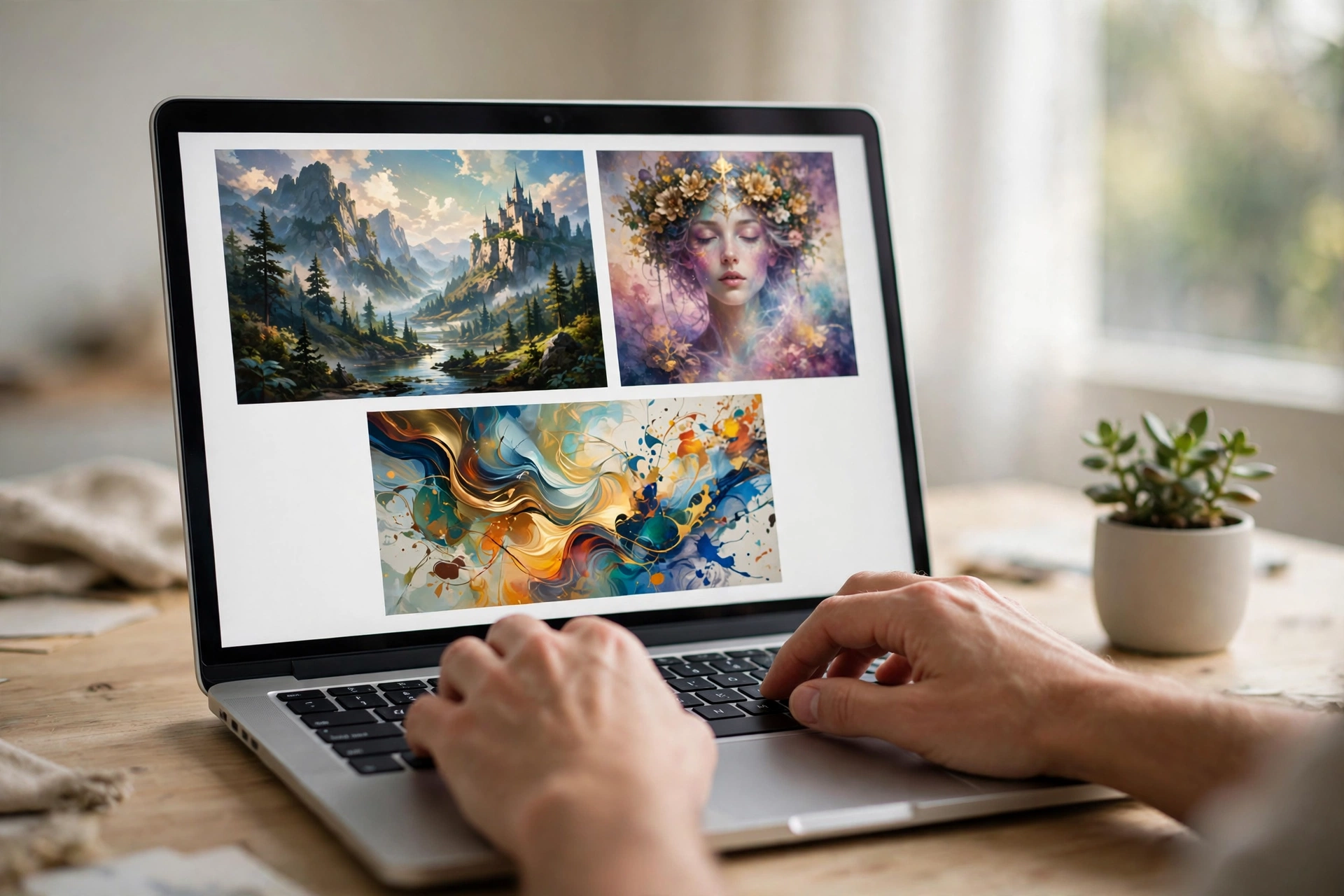
The best free AI image generator no sign up in 2026 is Perchance AI — it is genuinely unlimited, asks for no account, and adds no watermark to downloads. Raphael AI is the best pick for photorealistic images with no login, while Craiyon remains the simplest option for quick, fun generations. Every tool below was verified to start generating without an email, a Google login, or a credit card — but “no sign-up” does not mean “no limits,” so each review includes the honest catches: watermarks, quality ceilings, and commercial-use rights.
Most “free” AI image tools have a familiar trick. You type a prompt, hit generate, and right as the image appears, a sign-up wall drops: create an account, verify your email, maybe add a credit card “just in case.” Three minutes later you’ve handed over your data and still have no image.
This guide is the opposite: every tool listed here is a free AI image generator no sign up required — open it in your browser and start generating immediately, with no account, no email verification, no credit card. I verified each one myself, checking exactly where the “no sign-up” promise bends: rate limits, watermarks, quality caps, and whether you can actually use the images commercially.
In addition, you will find seven tools, a side-by-side comparison table, guidance on picking the right one for your actual task (blog thumbnails, YouTube covers, social posts, presentations), prompt tips that noticeably improve results, and an FAQ that answers the questions people ask before trusting a free generator.
What “No Sign-Up” Really Means (How We Tested)
“No sign-up” is a slippery claim. As a result, I set strict rules. A tool only made this list if I could open it in a fresh browser session and generate an image without providing an email address, a Google/Apple/Microsoft login, a phone number, or payment details. Optional accounts for extra features were fine — mandatory accounts were not.
Beyond that, I checked five things for each tool:
- True entry barrier: can you generate on the first visit with zero credentials?
- Real free limits: how many images before a queue, cap, or paywall appears?
- Watermarks: does the free output carry a logo or branding?
- Commercial rights: can you legally use the images on a blog, a product, or client work?
- Output quality: resolution, realism, and how well the image follows the prompt.
Tools that failed the first test were dropped immediately, no matter how good their marketing looked. As a result, what follows is what survived.
The 7 Best Free AI Image Generators With No Sign Up in 2026
1. Perchance AI — Best Overall (Truly Unlimited, Zero Login)

What it does: Perchance is a browser-based image generator built on community-maintained open-source models (mostly Stable Diffusion variants). You open one of its generator pages, type a prompt, pick a style preset, and generate. There is no dashboard, no credits system, and no account tier — the tool simply runs.
The “no sign-up” verdict: completely true. No email field, no login button standing between you and generation. You can generate dozens of images in a session without ever being asked who you are.
Honest limits: this is a shared, ad-supported service, so during peak hours you may wait in a short queue. Output resolution starts modest (around 512px on the short side) — fine for web use, blog thumbnails, and social posts, but not for large prints. It includes a free upscaler to sharpen results. The interface looks rough compared to polished commercial tools, and photorealism is decent but not its strongest suit — stylized, illustrated, anime, and fantasy looks come out best.
Watermark: none on downloaded images.
Commercial rights: Perchance’s terms allow broad use of generated images, but the models are community-built, so treat licensing as permissive-but-informal. For client work or products you sell, check the current terms page before publishing.
Pros: genuinely unlimited; zero login; no watermark; style presets; built-in upscaler; works well on mobile browsers.
Cons: basic resolution; variable quality between prompts; queue at peak times; rough interface; photorealism is average.
Best for: bloggers, students, and social media creators who need lots of images fast with zero friction.
2. Raphael AI — Best Free Photorealism With No Login
What it does: Raphael AI is a newer no-sign-up generator that routes your prompts through modern models, including FLUX-class image models known for strong photorealism. The experience is closer to a polished product than a hobby project: clean interface, fast generation, and noticeably better faces, hands, and real-world textures than most free tools.
The “no sign-up” verdict: true — you can generate without creating an account, and the free tier is generous enough for real projects.
Honest limits: the free tier is broad but not infinite; heavy users will eventually hit usage ceilings that reset over time. Some free-tier outputs carry a small watermark depending on the model and settings you choose. Very high resolutions and priority speed are reserved for paid plans.
Watermark: possible on some free-tier generations — check your download before publishing.
Commercial rights: check Raphael’s current terms; rights vary between the free and paid tiers, and model-specific rules may apply.
Pros: best-in-class photorealism for a no-login tool; clean interface; fast; good prompt-following.
Cons: not truly unlimited; occasional watermark on free outputs; advanced features sit behind paid plans.
Best for: anyone who needs realistic-looking images — product mockups, lifestyle blog photos, thumbnails — without signing up.
3. Craiyon — Simplest Option for Quick, Fun Images
What it does: Craiyon (formerly DALL-E mini) is the veteran of free browser-based image generation. Type a prompt, wait a short while, and get a grid of nine images. It is deliberately simple: no settings to learn, no styles to configure, just prompt and results.
The “no sign-up” verdict: true. Craiyon has asked for nothing since day one, and it still doesn’t.
Honest limits: this is the trade-off pick. Image quality is noticeably lower than modern tools — expect charming, slightly blurry, meme-adjacent results rather than professional graphics. Free generation is ad-supported and slower; you’ll wait in a queue during busy periods. Downloads carry a small Craiyon watermark.
Watermark: yes, a small logo on free downloads.
Commercial rights: limited — the watermark and terms make Craiyon a poor fit for commercial use. Treat it as a personal/fun tool.
Pros: zero learning curve; unlimited generations; fun and familiar; great for memes and quick concepts.
Cons: low image quality; watermark on downloads; slow during peak hours; not suitable for professional work.
Best for: memes, quick visual brainstorming, and anyone who wants the absolute simplest experience.
4. Microsoft Copilot Designer — High Quality Without Mandatory Sign-Up
What it does: Microsoft’s Copilot includes an image generator (powered by DALL-E-class models) that produces genuinely high-quality images — sharp, well-composed, and good at following detailed prompts. It lives inside the Copilot experience in your browser.
The “no sign-up” verdict: partially true, and this is where honesty matters. You can typically start generating without a Microsoft account, but anonymous usage is limited — signing in with a free Microsoft account unlocks substantially more daily generations. No credit card is ever required for the free tier.
Honest limits: anonymous generations are capped per day, and the cap is low enough that regular users will want the free account. Generation speed slows once you’ve used your priority boosts. Quality, however, is among the best on this list.
Watermark: no visible watermark on generated images.
Commercial rights: Microsoft’s terms for Copilot-generated images are more permissive than many competitors’, but read the current usage terms if you plan commercial use — AI-image policies change.
Pros: excellent image quality; good prompt understanding; no credit card; free Microsoft account massively extends limits.
Cons: strict daily cap without an account; speed throttling; Microsoft ecosystem.
Best for: users who want near-premium quality and don’t mind creating a free Microsoft account when the anonymous limit runs out.
5. DeepAI Image Generator — No Login to Try, Strong Style Selection
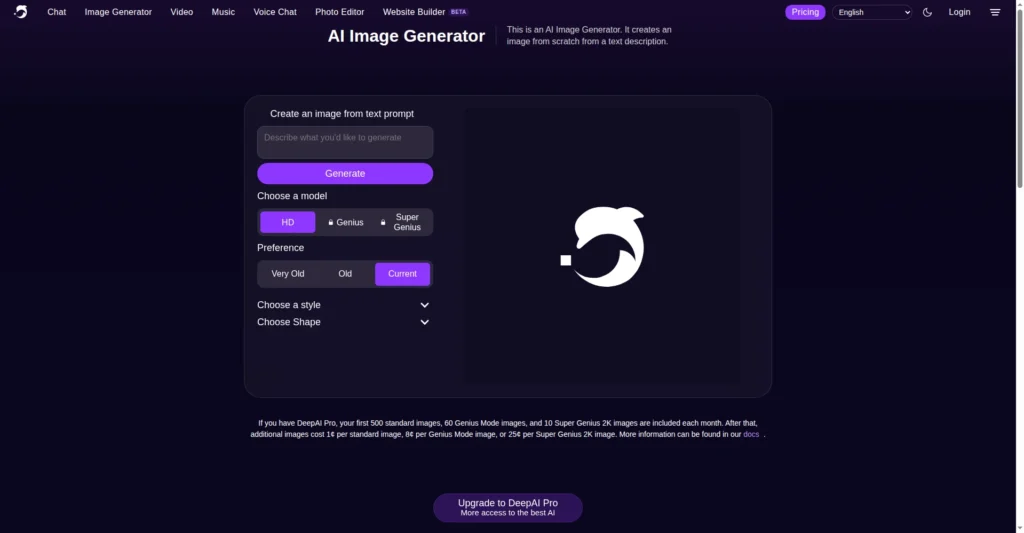
What it does: DeepAI‘s text-to-image tool offers a wide selection of art styles — from photorealistic to abstract — with standard, HD, and higher-quality model options. It has been around for years and remains one of the most straightforward generators on the web.
The “no sign-up” verdict: true for basic use. You can generate images without an account; creating one unlocks extras like private generations and higher limits.
Honest limits: free generations are limited in number. However, the best models/options sit behind the paid tier. Generation can be slow on the free tier. Resolution on free outputs is modest.
Watermark: none on standard free outputs.
Commercial rights: DeepAI’s terms historically allow broad use of generated images, including commercial use — verify the current terms page, as this is exactly the kind of policy that gets quietly updated.
Pros: no login needed to start; large style library; clean, simple interface; permissive usage terms.
Cons: limited free generations; slower free tier; best quality reserved for paid plans.
Best for: experimenting with many art styles quickly, and users who want clearer commercial-use terms.
6. Mage.space — Most Models, Free Tier, No Login Required
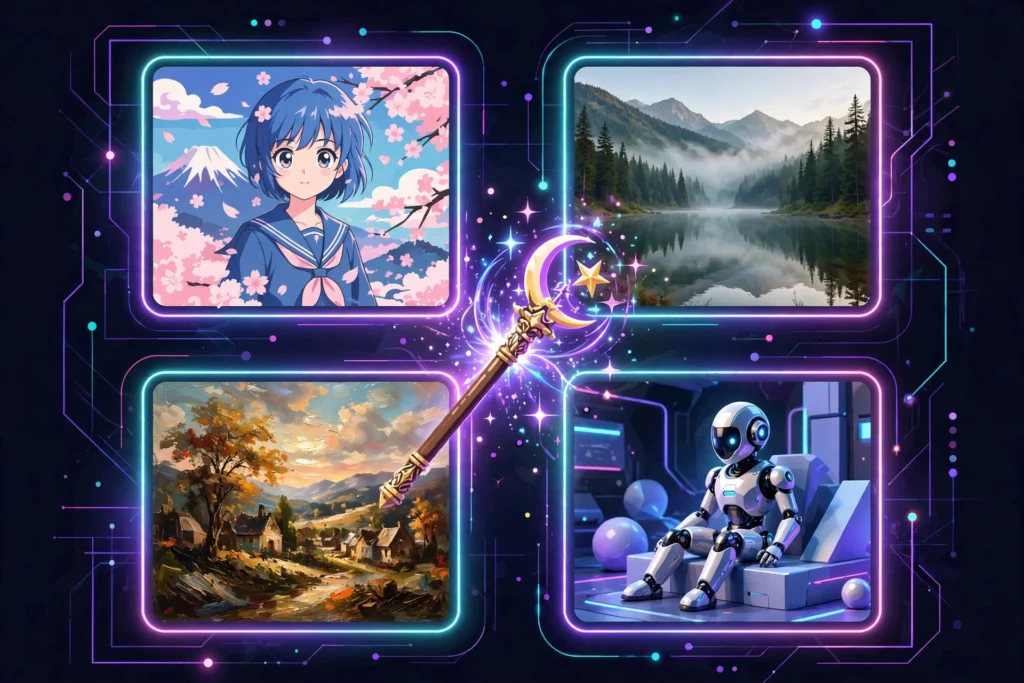
What it does: Mage.space gives free users access to an unusually large library of image models — well over a hundred, including popular Stable Diffusion variants. It offers fast and high-precision modes, customizable image sizes, and a straightforward prompt box.
The “no sign-up” verdict: true for the free tier. You can generate without an account; anonymous users get a daily allocation of free generations.
Honest limits: anonymous free generations are capped daily, and the cap is shared across all those models. Some models and higher settings require the paid plan. The interface exposes a lot of options, which is powerful but can overwhelm beginners.
Watermark: none on free-tier outputs.
Commercial rights: varies by model; open-source model outputs are generally usable, but confirm the terms for your specific use.
Pros: huge model selection; no login for free tier; customizable sizes; no watermark.
Cons: daily cap on anonymous use; option overload for beginners; premium models cost extra.
Best for: hobbyists and tinkerers who want to compare many models without committing to any account.
7. Stable Diffusion Online — Open-Model Generation in the Browser
What it does: Stable Diffusion Online is a web front-end for the famous open-source Stable Diffusion model. No installs, no GPU, no setup — you prompt in the browser and get images from one of the most widely used open image models in existence.
The “no sign-up” verdict: true for basic generation. You can run prompts without an account; heavier or faster use pushes you toward paid options.
Honest limits: free use is rate-limited, and queues form when the shared GPUs are busy. You’re getting an older-generation model, so quality trails the newest commercial tools — good for stylized and illustrative work, weaker for photorealism and text rendering.
Watermark: none.
Commercial rights: Stable Diffusion’s license is famously permissive for generated images, making this one of the safest picks for commercial use — still, read the site’s current terms.
Pros: no account for basic use; permissive licensing; no watermark; a good way to learn how open models behave.
Cons: rate limits and queues; older model quality; weaker photorealism.
Best for: users who care about licensing clarity and want a no-fuss taste of open-source image generation.
Free AI Image Generator No Sign Up: Side-by-Side Comparison
| Tool | Truly no sign-up? | Free limit | Watermark | Best quality tier | Commercial use |
|---|---|---|---|---|---|
| Perchance AI | Yes | Unlimited | No | Stylized / illustration | Permissive, check terms |
| Raphael AI | Yes | Generous, then capped | Sometimes | Photorealistic | Check current terms |
| Craiyon | Yes | Unlimited (ad-supported) | Yes, small logo | Casual / meme | Not recommended |
| Copilot Designer | Yes, limited anonymously | Low daily cap without account | No | High, DALL-E-class | Check Microsoft terms |
| DeepAI | Yes | Limited free generations | No | Good, HD on paid | Historically permissive |
| Mage.space | Yes | Daily anonymous cap | No | Varies by model | Varies by model |
| Stable Diffusion Online | Yes | Rate-limited | No | Stylized, older model | Permissive license |
Note: free tiers change. Limits above reflect what each tool offered at the time of testing in 2026 — always check the tool’s own page if a limit matters to your project.
How to Choose: Match the Tool to Your Task
The “best” free AI image generator no sign up for your project depends entirely on what you’re making. Here’s how to decide in under a minute:
If you need blog thumbnails and article images
Start with Perchance AI. You will generate a lot of images while hunting for the right one, and unlimited no-login generation means you can iterate freely. Use its style presets (digital art, cinematic, flat illustration) and upscale the winner before publishing. If a post needs a realistic photo-style header, run one generation through Raphael AI instead.
If you need YouTube thumbnails or social media posts
Use Raphael AI for the hero image — thumbnails live or die on visual punch, and photorealism wins clicks. Then generate supporting variations on Perchance to A/B test different concepts. Both download without accounts, so you can produce a week’s worth of thumbnails in one sitting.
If you need presentation slides or school projects
Copilot Designer gives the cleanest, most professional-looking results for slides, and the anonymous tier is usually enough for a single presentation. For diagrams and conceptual illustrations, Stable Diffusion Online is a solid free backup.
If you need images for a product or client work
Slow down and read terms first. Stable Diffusion Online and DeepAI have the clearest permissive licensing among no-sign-up tools, but “permissive” is not “guaranteed” — screenshot the terms page on the day you generate. Avoid Craiyon (watermark) and treat Perchance outputs as fine for editorial use but check terms before commercial use.
If you just want to experiment and have fun
Craiyon for laughs and quick concepts, Mage.space when you want to feel like a kid in a candy store comparing 100+ models. No accounts, no commitment.
7 Prompt Tips for Your Free AI Image Generator No Sign Up
A free AI image generator no sign up rewards good prompting more than paid ones do, because you can’t brute-force quality with premium models. These seven habits make a visible difference:
- Name the style explicitly. “A cat” gives you a random cat. “A cat, digital painting, warm lighting, detailed fur” gives you art direction. Free models follow style words well.
- Describe the composition. Add “centered portrait,” “wide landscape shot,” or “close-up” so the tool doesn’t crop awkwardly.
- Set the mood with lighting words. “Soft morning light,” “neon glow,” “cinematic lighting” — lighting vocabulary is the cheapest quality upgrade in prompting.
- Specify what you don’t want. Many tools accept negative prompts (“no text, no watermark, no blurry”). Use them — free models love rendering garbled text.
- Ask for the aspect ratio in words. Not every free tool has size settings, so write “vertical poster format” or “wide banner format” into the prompt.
- Generate in batches and pick the best. On unlimited tools like Perchance, generate 6–10 variations of the same prompt and keep one. Your keeper rate will triple.
- Upscale the winner. Free tools often output small images. Run your chosen image through the tool’s built-in upscaler (or any free upscaler) before publishing — it visibly sharpens web images.
The Fine Print: 4 Things to Check Before You Publish
Skipping sign-up doesn’t skip responsibility. Before a generated image goes on your blog, store, or client project, check these four things:
1. Commercial-use rights
Free to generate is not the same as free to sell. Each tool’s terms page states what you may do with outputs. Terms change — the table above summarizes the situation at testing time, but verify on the day you publish anything commercial. If you need custom work beyond what free tools offer, consider hiring an AI freelancer.
2. Watermarks
Some free tiers stamp outputs. Always inspect your download at full size before publishing; a watermark you miss becomes your brand’s problem.
3. People and faces
AI-generated faces can resemble real people by coincidence. Don’t use AI faces in testimonials, reviews, or “customer” photos — that’s deceptive even when the image is technically yours to use.
4. Privacy of your prompts
No-sign-up tools still process your prompts on their servers. Don’t paste confidential text, private photos for image-to-image, or anything you wouldn’t post publicly.
Free AI Image Generator No Sign Up: FAQs
What is the best free AI image generator no sign up?
Perchance AI is the best free AI image generator no sign up overall — it’s unlimited, requires no account, and adds no watermark. For photorealistic images, Raphael AI is the stronger no-sign-up pick, and Microsoft Copilot Designer offers the highest quality if you accept a low anonymous daily cap.
Is there a completely free AI image generator with no limits?
Perchance AI comes closest — no account, no stated generation cap, no watermark. In practice, “no limits” still means shared servers and queues at peak times, plus modest output resolution. No free tool offers unlimited priority-speed, maximum-resolution generation.
Can I use no-sign-up AI images commercially?
Sometimes, but you must check each tool’s terms. Stable Diffusion Online and DeepAI have historically permissive terms, while others restrict commercial use or require paid tiers for full rights. Always verify the current terms page before using an image on a product, ad, or client project.
Do free AI image generators add watermarks?
Most tools on this list don’t — Perchance, DeepAI, Mage.space, Stable Diffusion Online, and Copilot Designer downloads are watermark-free. Craiyon adds a small logo, and Raphael AI may watermark some free-tier outputs depending on settings.
Why do most “free” AI image tools ask me to sign up?
Accounts let companies limit abuse, track usage, and convert you to paid plans. For example, sign-up walls also collect emails for marketing. The tools in this guide monetize differently — through ads, optional paid tiers, or limited free allocations — so they can afford to skip the account requirement.
Are no-sign-up AI image generators safe?
The established ones are generally safe to use, but follow basic caution: don’t upload private photos, don’t enter sensitive text in prompts, and stick to well-known tools rather than random clones. No-sign-up tools still see your prompts and IP address.
Which free AI image generator is best for YouTube thumbnails?
Raphael AI for the main thumbnail image — its photorealism and punchy output suit click-driven visuals. Generate concept variations on Perchance AI (unlimited, no login) to test multiple ideas quickly, then upscale your winner.
Can I generate images on my phone without an app or account?
Yes. Perchance AI, Craiyon, and Mage.space all work in mobile browsers with no app install and no account. Perchance in particular is lightweight enough for slower connections — handy when you’re creating on the go.
What’s the catch with unlimited free AI image generators?
The catch is usually speed, resolution, or quality ceiling. Unlimited tools share compute across all users, so expect queues at busy times and modest output sizes. They fund themselves with ads or by upselling power users to paid plans — the free tier is real, but it’s the economy seat.
Will these tools still be free in the future?
Free tiers change constantly — tools tighten limits, add watermarks, or introduce sign-up requirements as costs grow. Everything here was verified working without sign-up in 2026, but if a tool on this list starts demanding an account, that reflects the economics of free AI, not a broken promise in this guide.
Final Verdict
If you remember one thing from this guide, make it this: start with Perchance AI. It is the rare tool whose “free, no sign-up” claim survives contact with reality — unlimited generations, no account, no watermark. When you need realism, switch to Raphael AI; when you need top-tier quality for a single important image, spend your anonymous Copilot Designer generations wisely.
In fact, the no-sign-up corner of AI image generation is better in 2026 than it has ever been. You no longer need an account, an app, or a credit card to turn an idea into an image — just a browser, a decent prompt, and the honest expectations this guide gave you about each tool’s limits. For more ways to create without paying, see our roundup of free AI tools for students.