TL;DR
The best free AI tools for students in 2026 are NotebookLM for studying from your own notes, ChatGPT for explaining difficult concepts, Perplexity for research with real citations, Claude for essay feedback, and Grammarly Free for polishing your writing. Every tool below has a genuinely usable free tier — no credit card required. Here are all 15, with honest notes on what’s actually free and what hides behind a paywall.
Being a student in 2026 means having more AI tools than time to try them. The problem? Most “free AI tools for students” lists on the internet are copy-paste jobs. They list tools that are free for five minutes before a paywall appears, or tools that sound impressive but don’t help with real student tasks like exam prep, research papers, or understanding a lecture you slept through.
This guide is different. I focused only on tools with genuinely free tiers that solve actual student problems: writing assignments, studying for exams, doing research, learning math, and staying organized. For each tool, you’ll find what it does best, the honest limits of the free plan, and who should use it.
How We Picked the Best Free AI Tools for Students
A tool only made this list if it met three strict rules:
- Actually free — the free tier must handle real student work, not just a demo. “Free trial” tools were excluded.
- Useful for real student tasks — writing, studying, research, math, presentations, organization. Not vague “productivity”.
- Safe and reputable — tools from established companies or well-known services, with no shady data practices.
The 15 Best Free AI Tools for Students in 2026
1. NotebookLM — Best for Studying From Your Own Notes
What it does: Google’s NotebookLM lets you upload your lecture notes, textbook PDFs, and slides, then answers questions using only those materials. It can also turn your notes into a study guide, a timeline, or even an audio overview that explains your material like a podcast.
Honest free-tier notes: Completely free with a Google account. No payment method needed.
Pros: Answers come only from your sources, so hallucination risk is minimal; perfect for exam prep; audio overviews make revision less boring.
Cons: Only as good as the material you upload; less useful for open-ended brainstorming.
Best for: Students in reading-heavy courses — law, history, medicine, literature — who need to master their own materials before exams.
2. ChatGPT — Best All-Rounder for Explaining Concepts

What it does: The most versatile free AI assistant. Ask it to explain a concept at your level, quiz you before a test, help you brainstorm essay outlines, or turn a messy paragraph into a clear one.
Honest free-tier notes: The free plan includes generous access to current models with usage limits that reset over time. Heavy users may occasionally hit limits during peak hours.
Pros: Handles almost any student task; great at explaining things simply; strong follow-up conversation.
Cons: Can confidently state wrong facts — always verify numbers and citations elsewhere; free tier has usage caps.
Best for: Your first AI study tool. If you only use one, make it this one.
3. Perplexity — Best for Research With Real Citations

What it does: An AI answer engine that searches the live web and answers with inline citations you can actually click and check. Much more reliable than a chatbot for research questions.
Honest free-tier notes: Unlimited standard searches are free; advanced “Pro” searches are limited per day.
Pros: Every claim links to a source; excellent for essay research and fact-checking.
Cons: Not ideal for long creative writing; the free tier limits the smartest model.
Best for: Research papers, finding sources, and verifying claims before you cite them.
4. Claude — Best for Essay Feedback and Writing Help

What it does: Anthropic’s Claude produces some of the most natural-sounding writing assistance available. Use it to get feedback on your draft’s structure and flow, brainstorm stronger arguments, or rewrite a confusing paragraph in your own voice.
Honest free-tier notes: Free at claude.ai with daily usage limits that reset on a rolling window — enough for typical essay sessions.
Pros: Excellent at nuanced writing feedback; good at explaining its reasoning; helpful for humanities and social sciences.
Cons: Daily limits can interrupt long writing sessions; weaker at live-web research than Perplexity.
Best for: Essays, reports, and any assignment where the quality of your argument matters.
5. Google Gemini — Best for Google Workspace Students
What it does: Google’s AI assistant, deeply integrated with Google Docs, Gmail, and Search. If your coursework lives in Google Docs and Classroom, Gemini fits right in.
Honest free-tier notes: Strong free tier; students with a college email may qualify for extended premium access offers.
Pros: Summarizes your emails and documents; great for current-events topics via Google Search integration; works inside Docs.
Cons: Best features shine brightest inside Google’s ecosystem; citation quality varies.
Best for: Students whose school runs on Google Workspace.
6. Grammarly Free — Best for Polishing Your Writing
What it does: Checks grammar, spelling, clarity, and tone as you write in your browser or documents. The free tier covers the essentials that make assignments read professionally.
Honest free-tier notes: The free plan covers grammar, spelling, and basic clarity. Advanced AI rewrites and plagiarism checks are paid.
Pros: Catches mistakes you’d miss at 2 a.m.; browser extension works everywhere; instant tone feedback.
Cons: The free tier won’t rewrite paragraphs for you; suggestions can be overly fussy about style.
Best for: Every student who submits written work — install the free extension and forget about it.
7. QuillBot — Best for Paraphrasing and Summarizing
What it does: Rewrites sentences in different words, summarizes long articles, and helps you understand dense academic text by simplifying it.
Honest free-tier notes: Free tier allows a limited number of paraphrasing words per session with two writing modes; unlimited paraphrasing is paid.
Pros: Great for understanding complex readings; summarizer saves hours on research.
Cons: Free word limit means long documents need multiple passes; no account needed, but that also means no saved history.
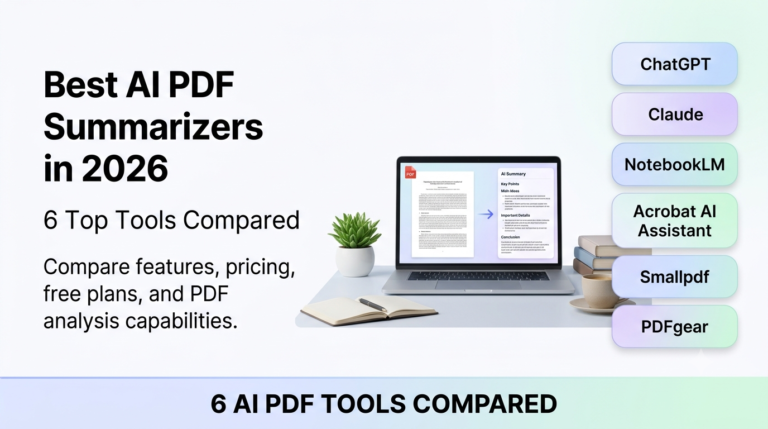
Best for: Understanding dense papers and rephrasing your own drafts more clearly — for tools built around long documents, see our roundup of AI PDF summarizers.
8. Wolfram Alpha — Best for Math and Science Problems
What it does: A computational answer engine that solves math problems step by step, from algebra to calculus, plus physics, chemistry, and statistics.
Honest free-tier notes: Core problem-solving is free; step-by-step solutions for some problem types require a low-cost subscription.
Pros: Shows its work for most problems; far more reliable for math than any chatbot.
Cons: Interface feels dated; not a general-purpose assistant.
Best for: STEM students who want to check homework and understand the steps, not just the answer.
9. Notion — Best Free All-in-One Study Organizer
What it does: Combines notes, to-do lists, calendars, and databases in one workspace. The built-in AI can summarize your notes, generate action items, and help you plan study sessions.
Honest free-tier notes: The free Education plan is generous; AI features have limited free responses before requiring a paid add-on.
Pros: One place for notes, deadlines, and revision plans; excellent templates for students.
Cons: Takes a weekend to learn properly; AI responses on the free plan are limited.
Best for: Organized (or aspiring-to-be-organized) students juggling multiple courses.
10. Quizlet AI — Best for Flashcards and Memorization

What it does: Turns your notes into flashcards and practice tests automatically, then uses spaced repetition to drill you on what you keep getting wrong.
Honest free-tier notes: Core flashcard features are free; AI-powered study modes have usage limits.
Pros: The fastest way to memorize vocabulary, definitions, and formulas; huge library of shared study sets.
Cons: Less useful for deep understanding — it’s a memorization tool, not a thinking tool.
Best for: Language learners, medical students, and anyone with heavy memorization loads.
11. Otter.ai — Best for Transcribing Lectures
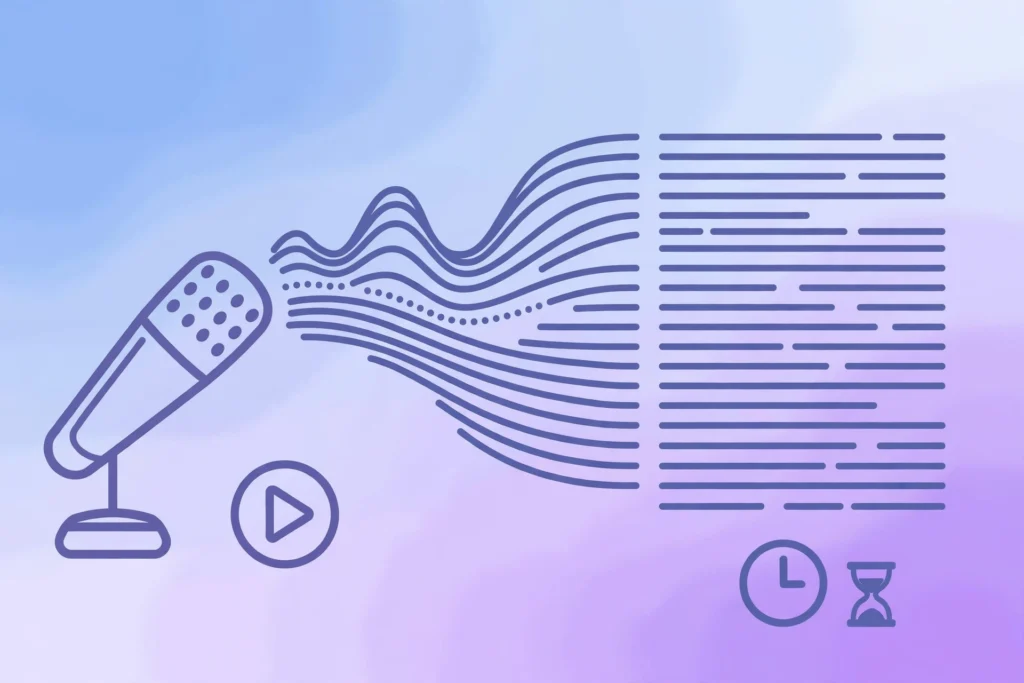
What it does: Records and transcribes lectures in real time, highlights key points, and generates summaries you can review later.
Honest free-tier notes: Free plan includes a limited number of transcription minutes per month — enough for a few lectures, not a full course load.
Pros: Searchable transcripts mean you never miss what the professor said; summaries save review time.
Cons: Free minutes run out fast; accuracy drops with heavy accents or noisy rooms.
Best for: Students in lecture-heavy courses who want a searchable record of every class.
12. Gamma — Best for Fast Presentations

What it does: Generates complete, good-looking slide decks from a text prompt or an outline. Edit the result and export when done.
Honest free-tier notes: Free plan includes a limited number of AI credits that refresh periodically — enough for occasional class presentations.
Pros: Turns an outline into slides in minutes; designs look modern without design skills.
Cons: Free credits are limited; you’ll still want to review and personalize every deck.
Best for: Class presentations, group projects, and thesis defenses.
13. Elicit — Best for Academic Research Papers

What it does: Searches academic papers and summarizes their findings in a comparison table, showing methods, results, and limitations side by side.
Honest free-tier notes: Free tier includes a generous number of research credits per month.
Pros: Purpose-built for literature reviews; saves days of skimming papers.
Cons: Overkill for simple assignments; coverage is strongest in published academic literature.
Best for: Undergrad and grad students writing literature reviews or research proposals.
14. Consensus — Best for Evidence-Based Answers

What it does: Answers questions using only peer-reviewed research, and even shows you how much scientific consensus exists behind an answer.
Honest free-tier notes: Core searching and summaries are free.
Pros: No blogspam — only real research; consensus meter is genuinely useful for debated topics.
Cons: Limited to questions science has studied; less helpful for opinion or creative work.
Best for: Science and health students who need answers backed by actual studies.
15. Canva (Magic Studio) — Best for Posters and Visual Assignments

What it does: The free version of Canva includes AI tools that generate images, remove backgrounds, and design posters, infographics, and presentation visuals.
Honest free-tier notes: Free plan includes limited AI credits per month; the core design tools are fully free.
Pros: Makes visual assignments look professional; huge template library; easy to learn.
Cons: AI credits on the free plan are limited; advanced brand features are paid.
Best for: Posters, infographics, resumes, and any assignment where presentation matters — and if you need dedicated image generation, see our roundup of free AI image generators with no sign-up.
Quick Comparison: The Best Free AI Tools for Students at a Glance
| Tool | Best For | Truly Free? | No Signup Needed? |
|---|---|---|---|
| NotebookLM | Studying your own notes | Yes — fully free | No (Google account) |
| ChatGPT | Explaining concepts | Yes — generous limits | No |
| Perplexity | Research with citations | Yes — standard searches | No |
| Claude | Essay feedback | Yes — daily limits | No |
| Gemini | Google Workspace users | Yes | No (Google account) |
| Grammarly Free | Grammar & polish | Yes — essentials | No |
| QuillBot | Paraphrasing | Yes — word limits | Yes |
| Wolfram Alpha | Math & science | Yes — core solving | Yes (basic) |
| Notion | Organization | Yes — education plan | No |
| Quizlet AI | Flashcards | Yes — core features | No |
| Otter.ai | Lecture transcription | Partial — minute limits | No |
| Gamma | Presentations | Partial — credit limits | No |
| Elicit | Academic papers | Yes — monthly credits | No |
| Consensus | Evidence-based answers | Yes | No |
| Canva | Visual assignments | Partial — AI credit limits | No |
Pros and Cons of Using AI Tools as a Student
The Pros
- Faster understanding: A concept that takes an hour of re-reading can click in five minutes with a good AI explanation.
- Better research: Tools like Perplexity and Elicit find and summarize sources far faster than manual searching.
- Free tutoring on demand: Students who can’t afford tutors get patient, unlimited explanations at 2 a.m.
- Writing confidence: Grammar and structure feedback helps non-native English speakers submit polished work.
The Cons
- Hallucinations: AI can state wrong facts confidently. Never cite an AI answer without checking the source.
- Academic integrity risk: Submitting AI-written work as your own is cheating at most institutions — and detectors are improving.
- Shallow learning: If AI does the thinking, you won’t remember the material when the exam has no AI.
- Over-reliance: The tools are assistants, not replacements for reading, practicing, and thinking.
How to Use AI Tools Without Cheating
The golden rule is simple: use AI to understand, not to produce. Ask ChatGPT to explain a concept until you can explain it back. Use NotebookLM to quiz yourself from your own notes. Let Grammarly fix your grammar — but write the essay yourself. Most universities now allow AI as a study aid while banning AI-generated submissions, so check your institution’s policy and stay on the right side of it. If you can defend every sentence of your assignment in person, you’re using AI correctly.
FAQs: Best Free AI Tools for Students
Which is the single best free AI tool for students in 2026?
For most students, NotebookLM — because it eliminates hallucination risk by working only from your uploaded materials, it’s completely free, and it directly tackles the most time-consuming part of studying: making sense of your own notes.
Are these AI tools really free, or do they push paid plans?
Every tool on this list has a genuinely usable free tier, as noted honestly above. Some (Otter.ai, Gamma, Canva) limit free usage with minutes or credits, but the core features cost nothing.
Can I use AI tools for my assignments without getting in trouble?
Using AI to understand concepts, organize your notes, and improve your own writing is widely accepted. Having AI write the assignment for you is academic dishonesty at most institutions. Always check your school’s policy.
Which free AI tool is best for research papers?
Perplexity for general research with citations, Elicit for academic literature reviews, and Consensus for questions where you need evidence from peer-reviewed studies.
Do I need to pay for any AI tool as a student?
No. The free tiers on this list cover the full student workflow — studying, writing, research, math, and presentations. Paid plans add convenience and higher limits, not capabilities you can’t live without.
What’s the best completely free AI tool with no usage limits?
NotebookLM is the closest to truly unlimited — it’s completely free with a Google account and doesn’t gate its core features behind a paid tier. Wolfram Alpha’s basic problem-solving is also free without strict caps. Most other tools on this list have some form of daily or monthly limit on their free plans, but as the honest notes above show, those limits are generous enough for normal student use.
Can my professor tell if I used AI on my assignment in 2026?
Quite possibly. AI detectors have improved significantly, and many universities now run submissions through detection software as standard practice. More importantly, professors can often spot AI writing by its generic tone and lack of personal insight. The safe approach from this guide stands: use AI to understand and improve your own work, never to generate work you submit as your own.
Which free AI tools are best for medical or law students?
NotebookLM is the top pick for both — upload your case files, textbooks, or lecture notes and quiz yourself from your own materials. Pair it with Quizlet AI for memorizing terminology (anatomy terms, legal vocabulary) and Elicit or Consensus for finding real research to back your arguments. Perplexity handles quick fact-checking with citations you can actually verify.
Are these free AI tools safe with my personal data?
The tools on this list come from established companies with published privacy policies, which is exactly why they made the cut. That said, never upload sensitive personal information — ID numbers, financial details, or private photos — into any AI tool. For study materials, stick to your coursework. If a tool asks for a credit card to access its “free” tier, walk away; none of the 15 tools above require one.
What’s the best free AI setup for group projects?
Notion’s free plan for shared task boards and notes, Gamma for building the presentation deck quickly, and Canva for posters or visual elements. Use ChatGPT or Claude as a shared brainstorming partner for structuring the project, and Grammarly Free so the final submission reads consistently no matter who wrote which section.
How to Choose the Right Free AI Tool for Your Study Style
With fifteen tools on the list, the worst move is signing up for all of them. Decision fatigue is real, and most students abandon AI tools not because the tools are bad, but because they picked the wrong one for their actual problem. Here is a simple framework for choosing among the best free AI tools for students.
Start with your most painful task. Identify the single study activity that eats most of your time or causes the most stress, then pick the tool built for it:
- Drowning in readings before exams? Start with NotebookLM. Upload everything and study from your own material.
- Stuck understanding difficult concepts? Use ChatGPT or Claude. Ask for explanations at your level until it clicks.
- Research paper due soon? Use Perplexity for sources and Elicit for the literature review.
- Math problem sets piling up? Try Wolfram Alpha. It shows the steps, not just the answers.
- Can’t remember what you studied? Use Quizlet AI. Flashcards with spaced repetition fix that.
- Presentation next week? Use Gamma for slides and Canva for visuals.
- Schedule a complete mess? Set up Notion as your one workspace for everything.
Follow the three-tool rule. Master three tools deeply instead of skimming fifteen. A proven starter trio: NotebookLM for studying your own material, ChatGPT or Claude for understanding and writing help, and Perplexity for research. Add Grammarly Free as a silent fourth — it works in the background everywhere you write. Only add a fifth tool when you hit a specific wall your current trio cannot solve.
Test the free tier like you mean it. Spend one real study session — not five minutes of clicking around — with each candidate tool. Upload actual lecture notes. Ask a real question from your coursework. The free tier that survives a genuine session is the one worth keeping.
Free vs Paid: When Should a Student Actually Upgrade?
Short answer: probably never during a normal semester. The free tiers of the best free AI tools for students cover roughly 90% of real student work — studying, writing, research, math, and presentations. Paid plans mostly buy convenience: higher limits, faster responses, and priority access during busy hours.
There are a few honest exceptions where upgrading makes sense:
- Thesis or dissertation crunch: if you’re hitting daily usage limits every single day for weeks, a month of a paid plan can be worth it.
- Daily lecture transcription: Otter.ai’s free minutes run out fast if you record every lecture. Heavy users may need the paid tier.
- Freelancing or portfolio work: if you’re using Canva or Gamma for client work rather than class assignments, paid features pay for themselves.
Two rules before you spend anything. First, check for student discounts — many AI tools offer education pricing or extended trials with a university email, so never pay full price without checking. Second, use the free tier for a full month first. If you hit the same limit three times in one week doing genuine coursework, then consider upgrading. Never upgrade on day one based on a marketing page.
5 Real Study Workflows That Combine These Tools
Individual tools are useful, but combinations are where the real productivity gains hide. Here are five workflows students actually use, built entirely from the free tiers above.
1. The exam-prep sprint
Upload all your lecture slides and notes to NotebookLM and generate a study guide plus an audio overview. Turn your weakest topics into Quizlet flashcards for spaced repetition. Finally, ask ChatGPT to act as your examiner and quiz you — explaining answers out loud is one of the strongest revision techniques there is.
2. The research paper assembly line
Use Perplexity to find and verify sources with real citations. Feed the key papers into Elicit to compare their methods and findings side by side. Ask Claude to challenge your argument structure and point out weak reasoning. Run the final draft through Grammarly Free for polish. You wrote every word — the tools just made the process faster and sharper.
3. The lecture capture system
Record lectures with Otter.ai and let it generate searchable transcripts with key-point highlights. Export the highlights into Notion, organized by course and week. Before exams, upload the transcripts to NotebookLM and quiz yourself from them. You now have a searchable memory of every lecture you attended.
4. The math problem set
Attempt every problem yourself first — this step is non-negotiable. Then use Wolfram Alpha to check your answers and study the step-by-step solutions for the ones you got wrong. For any step you still don’t follow, ask ChatGPT to explain the underlying concept in plain language. Checking is fine; copying is how you fail the exam.
5. The group presentation
Use ChatGPT or Claude to outline the narrative flow and divide sections fairly. Generate the slide deck with Gamma, then create custom visuals in Canva. Run the full deck through Grammarly so sections written by different people read with one consistent voice. Assign one person as editor — AI assists, but a human owns the final quality.
Notice the pattern across all five workflows: AI handles the repetitive work, you do the thinking. That is the line that keeps you learning — and keeps you on the right side of academic integrity rules.
Red Flags: “Free” AI Tools Students Should Avoid
Not every tool calling itself free deserves your time — or your data. While researching the best free AI tools for students, I kept seeing the same traps. Avoid any tool that:
- Demands a credit card for its “free” trial. Genuine free tiers never need your payment details. This is the single biggest red flag.
- Has no identifiable company or privacy policy. Your uploads could become training data — or worse. Stick to established providers.
- Promises to “write your essay undetectably.” That’s academic dishonesty as a service, and detectors keep improving. Not worth your degree.
- Is just a paywalled wrapper around ChatGPT. Many “new AI tools” are a pretty interface on someone else’s model with a subscription slapped on top. Check the honest tools above first.
- Bombs you with ads or demands social logins for basic features. Aggressive monetization usually means you’re the product.
When in doubt, ask one question: how does this tool make money? The fifteen tools in this guide have clear business models — paid upgrades for power users. If you can’t figure out how a “free” tool survives, your data is probably the answer.
Final Verdict
You don’t need fifteen tools — you need the right three or four. Start with NotebookLM for studying your own material, ChatGPT or Claude for understanding and writing, Perplexity for research, and Grammarly Free for polish. That’s a complete, free AI study setup that costs exactly $0 and covers nearly every assignment you’ll face in 2026.